
What You’ll Learn
- Adding CSS IDs to report table sections
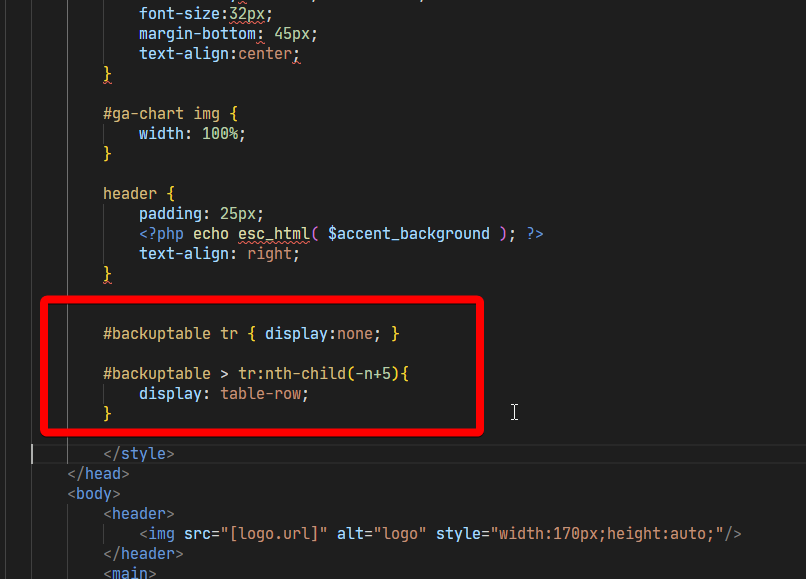
- Writing CSS to limit displayed rows
- Customizing the number of entries shown
- Uploading modified templates
Extension Add-on - This add-on provides standalone functionality within MainWP Dashboard. No third-party plugins required.
If you are editing one of the built-in report templates, first create a custom copy. Otherwise, a Pro Reports Extension update can overwrite your changes. To learn more about creating and editing a custom template, see Create Custom Report Templates.
Example for Backup data section
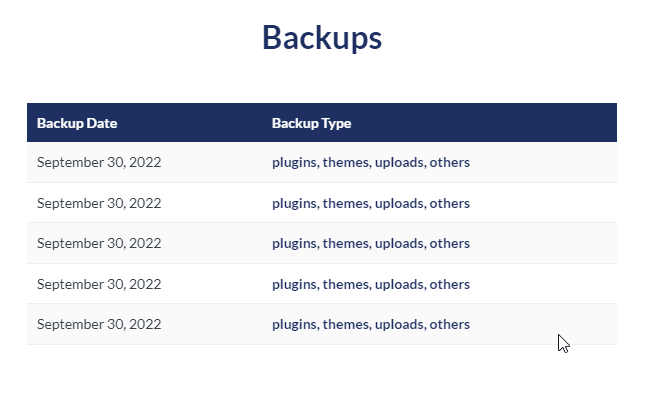
In this example, we will cover how to limit the entries in the Backups section to 5, but the same logic applies to other data sections. In the Backups Data section, attach a CSS ID to the table body (<tbody>), as shown here:

<style type="text/css"> section near the top of the PHP file, add the following:
5 in these brackets (-n+5) to a desired number of entries to be shown.
Related Resources
- Create Custom Report Templates - Build custom PHP templates
- Pro Reports Extension - Main Pro Reports documentation
- Available Pro Reports Tokens - Complete token reference