
What You’ll Learn
- How to create a MainWP.com account
- How to get MainWP Essentials (free)
- How to copy and activate your API key
- How to install free add-ons
Create Your MainWP.com Account and Get MainWP Essentials
1
Open the free bundle checkout link
Use the MainWP Essentials checkout link. This adds the free bundle to your cart automatically.
2
Create your account during checkout
On the checkout page, enter your new account username and password.
3
Place the free order
Complete checkout to create your MainWP.com account and activate MainWP Essentials.
There is no charge and no payment method is required for MainWP Essentials.
Copy Your API Key
1
Navigate to your Account Extensions page
Navigate to your Account > Extensions page. Here you will find your Main API Key.
2
Copy your Main API Key
Copy your Main API Key - you’ll need it in the next section.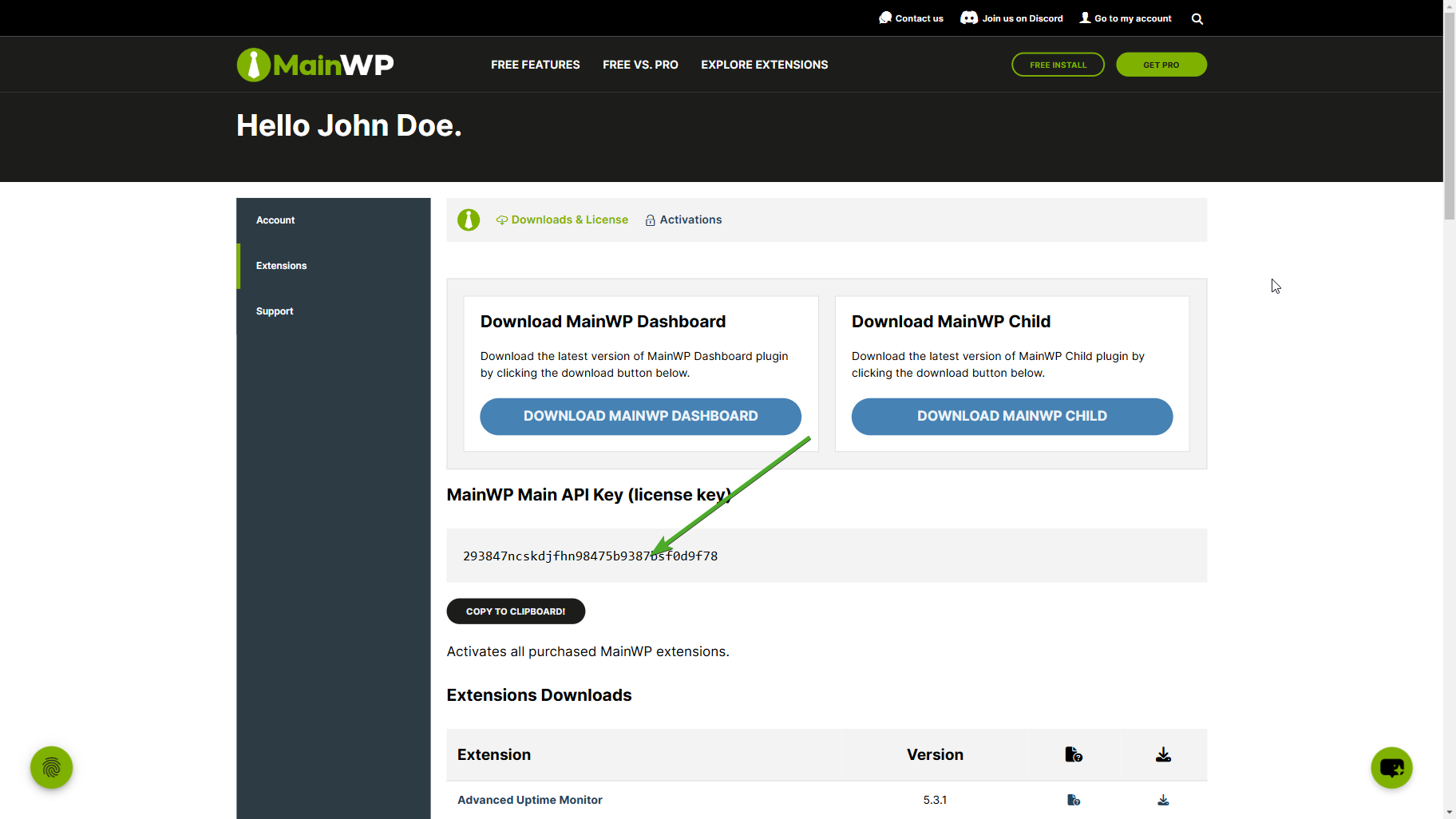
Activate Your API Key in MainWP Dashboard
1
Navigate to your MainWP Dashboard site
Go to your self-hosted MainWP Dashboard site.
2
Go to MainWP > Add-ons
Navigate to the MainWP > Add-ons page.
3
Open the license controls
Click Add License Key (or Manage License if a key is already saved).
4
Paste your API Key
Paste your Main API Key and check Remember Key.
5
Validate your API Key
Click Validate License.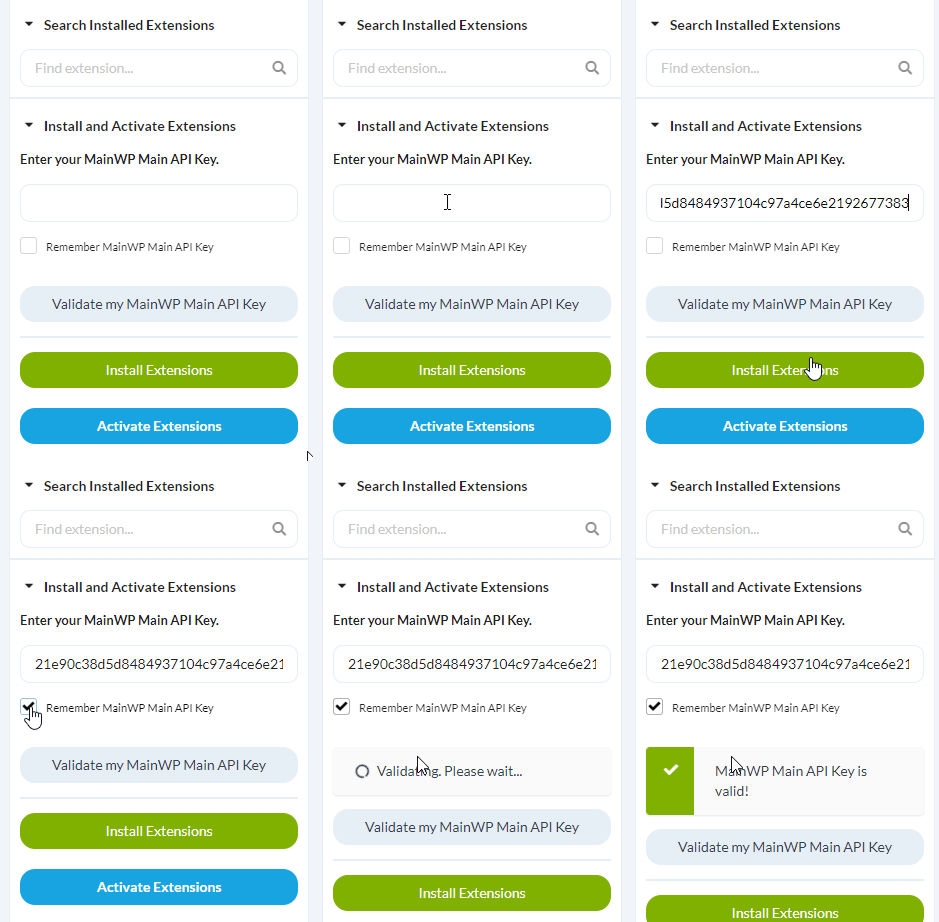
Install Add-ons
1
Click Install Add-ons
Click the Install Add-ons button.
2
Select and install your add-ons
Select the add-ons you want to install and click the Install Selected Add-ons button.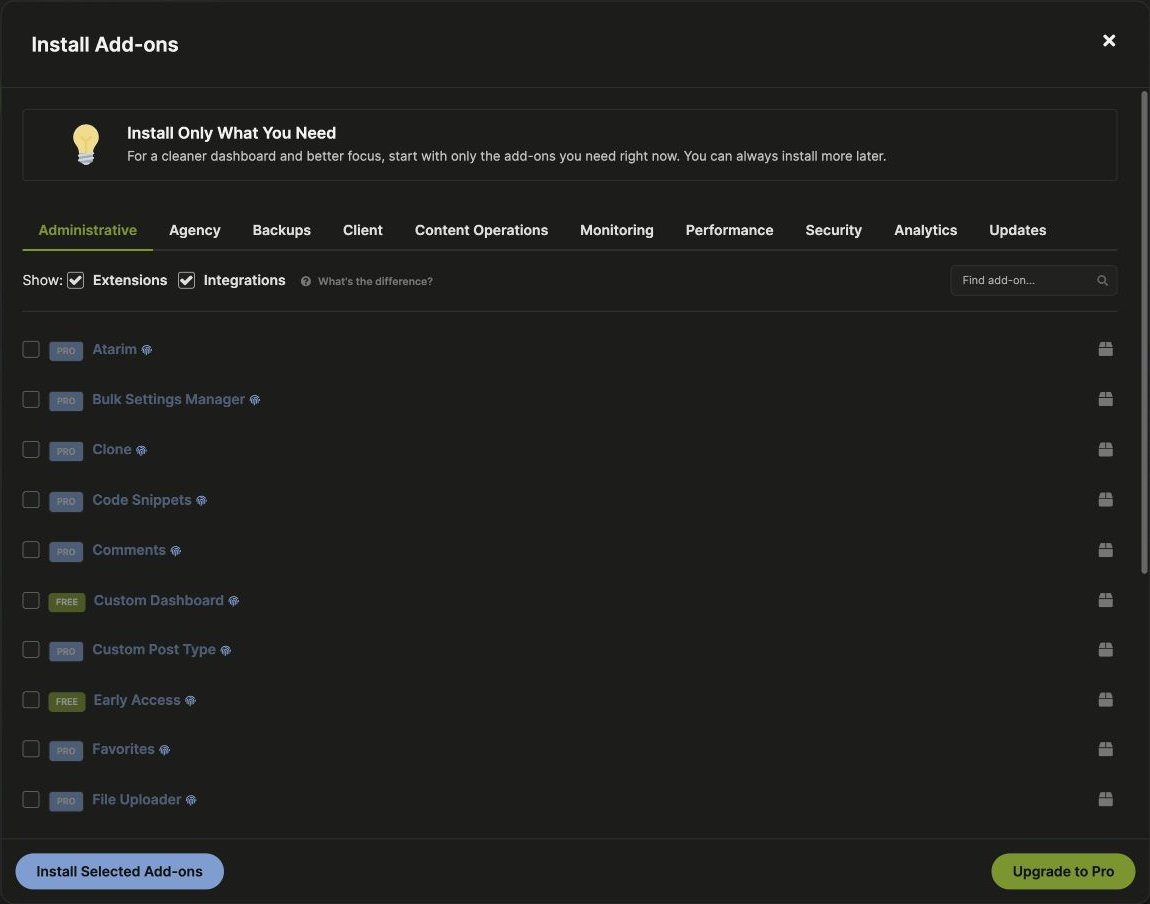
Related Resources
- Add-on Bundles - Compare Essentials vs Pro tiers
- Add-ons Overview - Browse all available add-ons
- Manage Add-ons - Add-on management in Dashboard