
What You’ll Learn
- Uploading images to your MainWP Dashboard
- Locating custom report template files
- Adding image HTML code to PHP templates
- Testing and verifying image placement
Extension Add-on - This add-on provides standalone functionality within MainWP Dashboard. No third-party plugins required.
In this help document, we will cover adding images to existing custom Pro Report templates. For information on creating custom Pro Report templates, please refer to this document: Pro Reports Extension Overview
1
Upload the images to your MainWP Dashboard via FTP or similar methods, and note their URLs
Upload the images to your MainWP Dashboard via FTP or similar methods, and note their URLs
2
Navigate to the directory where the custom templates are stored: /wp-content/uploads/mainwp/report-templates/
Navigate to the directory where the custom templates are stored: /wp-content/uploads/mainwp/report-templates/
3
Download the desired PHP file to your PC and open it in your favorite text editor
Download the desired PHP file to your PC and open it in your favorite text editor
4
In this example, we will add an image above the 'Plugins Updates' headline
5
Locate the line and add the following above it
Locate the line and add the following above it:
6
Replace the https://mainwpvideos.com/wp-content/uploads/plugins.png with the URL of your image
Replace the https://mainwpvideos.com/wp-content/uploads/plugins.png with the URL of your image
7
Save the PHP file and upload it back to the server to the same directory: /wp-content/uploads/mainwp/report-templates/
Save the PHP file and upload it back to the server to the same directory: /wp-content/uploads/mainwp/report-templates/
8
Test the changes and repeat the process for other desired locations
Test the changes and repeat the process for other desired locations 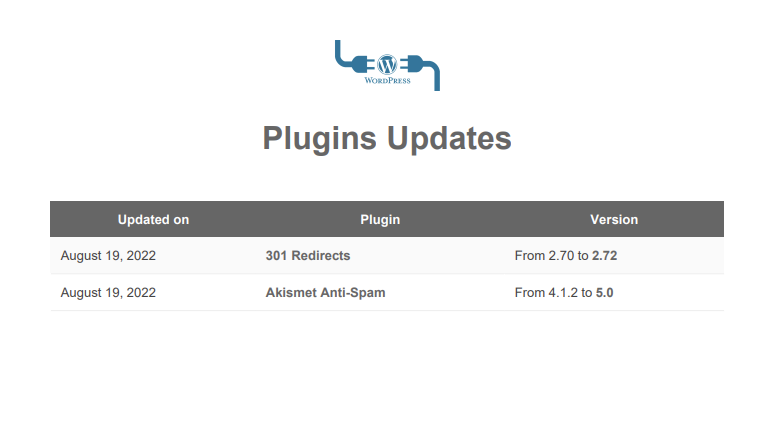
Related Resources
- Create Custom Report Templates - Build custom PHP templates
- Pro Reports Extension - Main Pro Reports documentation
- Available Pro Reports Tokens - Complete token reference