
What You’ll Learn
- How to access sidebar position settings
- Available position options
Change Sidebar Position
1
Find Sidebar Options
Locate the Sidebar Options section at the top of the sidebar.
2
Expand the options
Click to expand the Sidebar Options dropdown.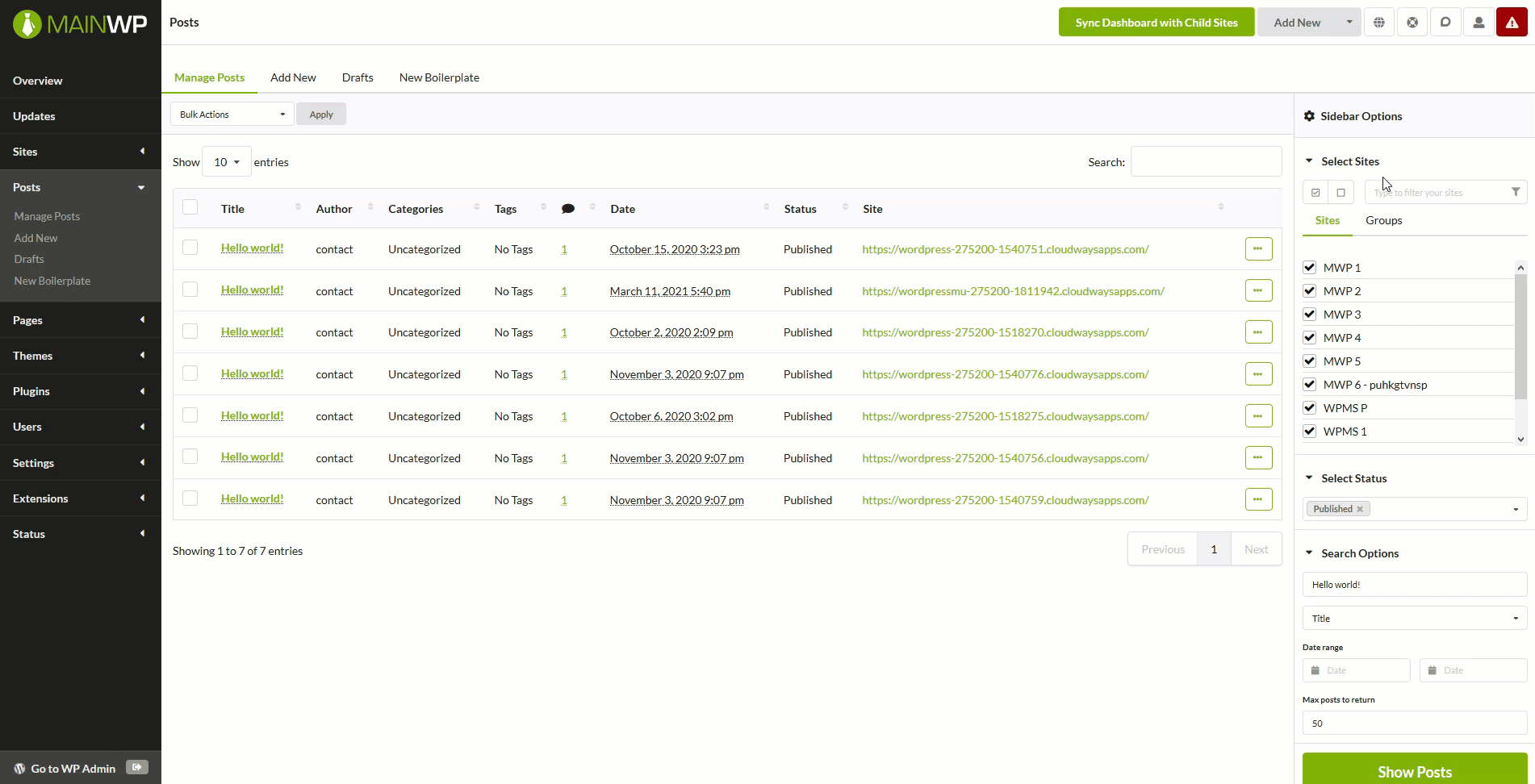
3
Select your preferred position
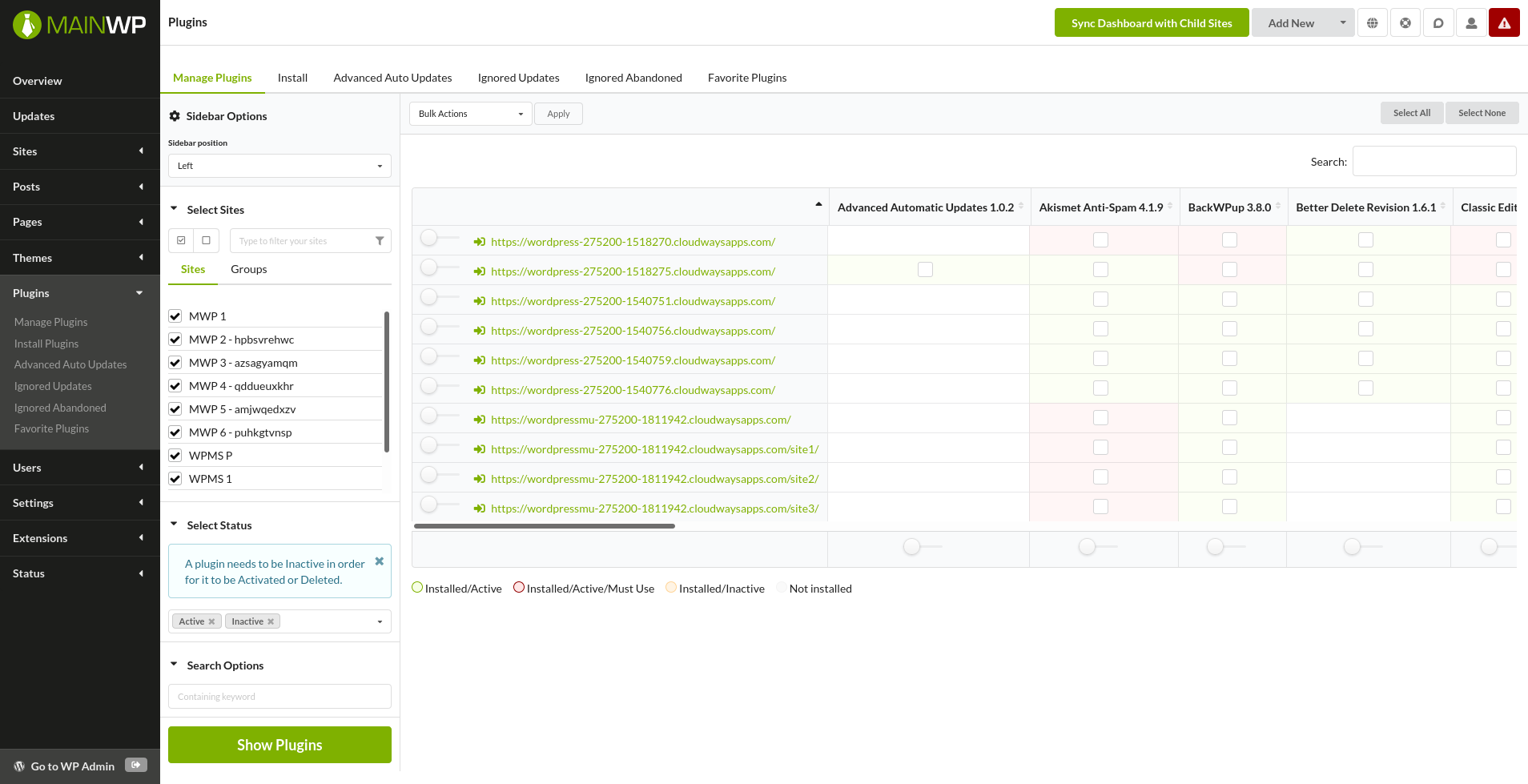
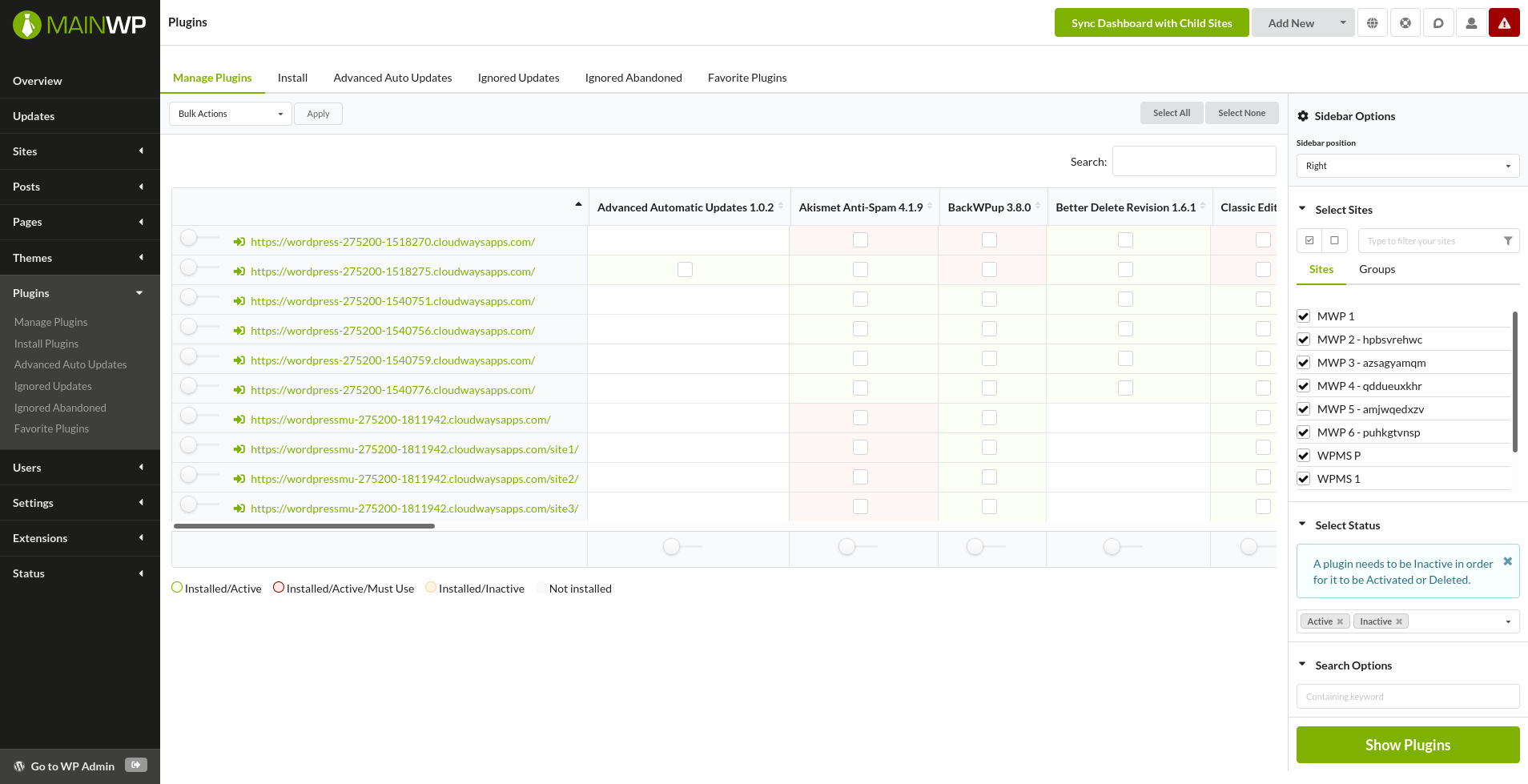
Choose either Left or Right position. The page reloads automatically and the sidebar moves to the selected position.
Position Examples
Sidebar on Left
Sidebar on Right
Self-Check Checklist
- Sidebar Options section expanded
- New position selected
- Page reloaded with sidebar in new position
Related Resources
- Dashboard Themes - Switch dashboard visual themes
- Customize Dashboard Logo - Brand your Dashboard