
What You’ll Learn
- How to open the Support modal from the Dashboard sidebar
- What each Support modal option does
- How to enable or disable Support Assistant, guided tours, and video tutorials
- How permissions in the modal map to MainWP Tools settings
Prerequisites
- MainWP Dashboard installed and active
- Administrator access to your MainWP Dashboard
How to Open the Support Modal
1
Open Support from the sidebar
Click Support in the left navigation panel (question-mark icon near the bottom).
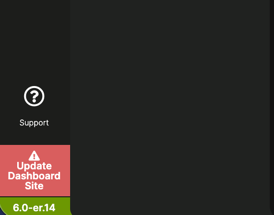
The Get Help item in the top-right user menu opens the Help sidebar. It is separate from the Support modal opened by the Support button.
Support Modal Options
The modal includes the following cards: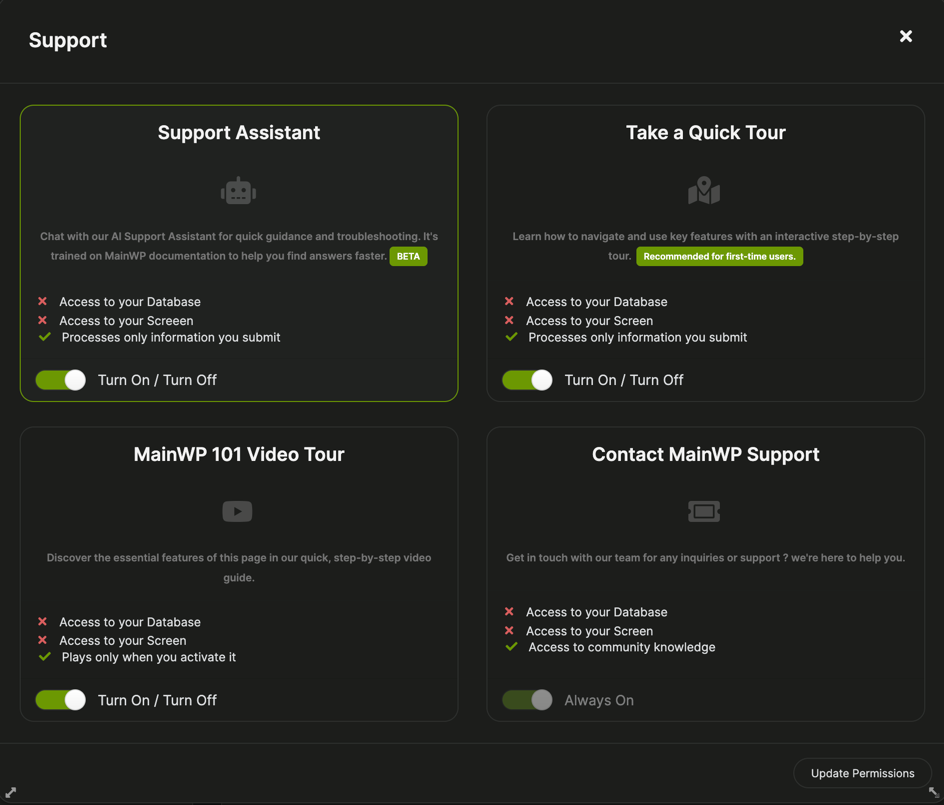
The contact option opens: https://community.mainwp.com/
Update Permissions in the Modal
Each modal card has a Turn On / Turn Off permission toggle (except the support contact card). Use the Update Permissions button to save changes.1
Open the modal
Open Support.
2
Set toggles
Enable or disable the cards you want to use.
3
Save
Click Update Permissions.
- Usetiful (Interactive Guides & Tips): Guided tours, tooltips, and onboarding
- Chatbase (AI-Powered Chat Support): AI Support Assistant
- Youtube Embeds (Video Tutorials): Embedded page video guides
Privacy and Third-Party Services
The Support modal options above use third-party services that you control via permissions.- Review privacy details: Privacy & Data Handling
- Manage settings in Dashboard: MainWP > Settings > MainWP Tools
- MainWP Tools reference: MainWP Dashboard Settings
Troubleshooting
- A card is disabled: Enable its toggle in the modal and click Update Permissions.
- Video tour is missing on a page: Not all pages have a mapped MainWP 101 Video Tour.
- Tours did not start after enabling: Reload the page, then launch the tour again.
- Looking for the old Need Help flow: Use Support in the left navigation to open the Support modal.