
- Claude Code CLI in your terminal: Install in Claude Code CLI.
- Claude Desktop chat app: Install in Claude Desktop with the MCP Bundle.
- Another AI client: Connect Your AI Client.
Before you start
You need:- A MainWP Dashboard on version 6.0 or later, reachable over HTTPS, with WordPress 6.9 or later for the Abilities API. Abilities with a required input that may be null need Dashboard 6.2 or later. Knowledge tools, Dashboard-side update confirmation, and the guided AI setup pages require Dashboard 6.3.
- Admin access to the WordPress site that runs your Dashboard
- Node.js 20.19 or later on the computer where your AI tool runs. Node.js is the free runtime the server runs on; if you don’t have it, the standard installer from nodejs.org is all you need.
- Claude Desktop, or another AI tool that supports MCP
Guided Setup in MainWP Dashboard
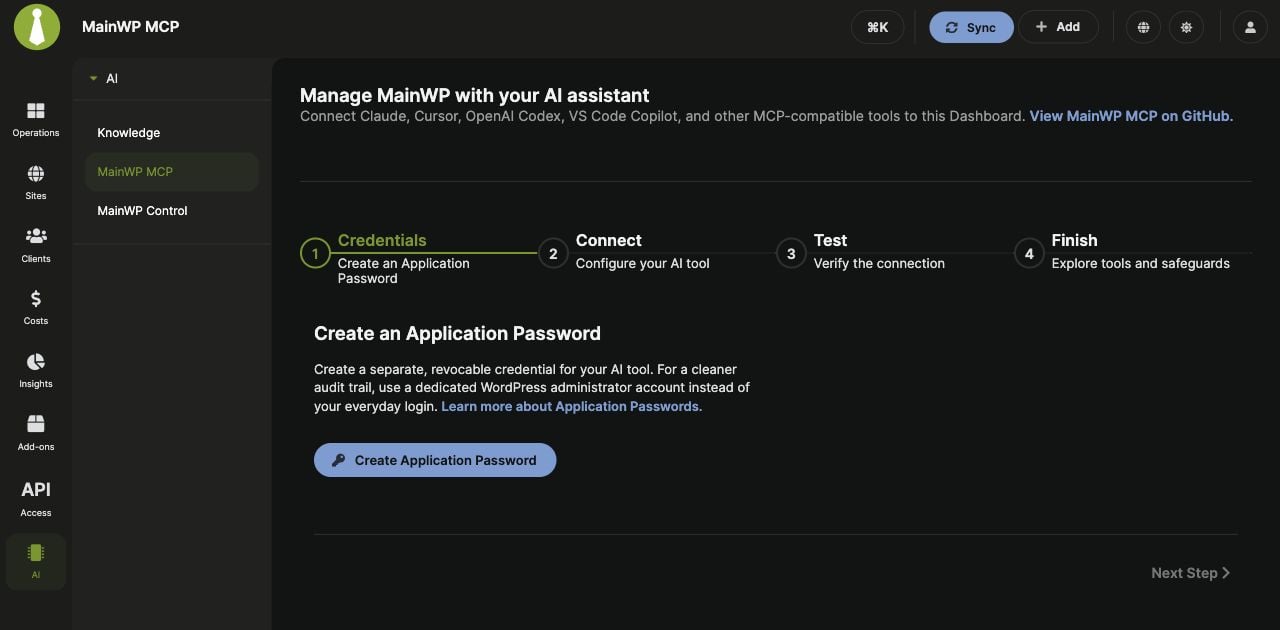
Open MainWP > AI > MainWP MCP. The setup page has four steps: Credentials, Connect, Test, and Finish. Access to this page requires a WordPress administrator account withmanage_options.
1
Create an Application Password on the page
In Credentials, click Create Application Password. Review the prefilled name and click Create. Save the password while its success dialog is open.The dialog’s Connect an AI tool panel provides configurations for Claude Code, Cursor, and VS Code. Claude Code and Cursor include the newly created password; VS Code prompts for it when the server starts. See Application Passwords for where to place each format.
2
Copy the configuration for your client
Select Connect. The editable configuration contains your Dashboard URL and current WordPress username. A password created on this page replaces
paste-application-password-here while the page remains open. If you use an existing password or reload the page, replace that placeholder yourself.Click Copy to clipboard, then use the instructions for your AI client. The generic mcpServers JSON must be adapted for clients that use another format, such as VS Code or OpenAI Codex. The success dialog already provides the VS Code format.3
Test from your AI client
Select Test for the suggested prompt, List all my sites. Restart your client after configuring it and run that prompt there. The Dashboard page does not run the test or establish the connection itself.
4
Review the available tools and safeguards
Select Finish for an overview of site management, updates, Knowledge, confirmation, safe mode, and tool restrictions.
Manual Setup for Claude Desktop
1
Create an Application Password
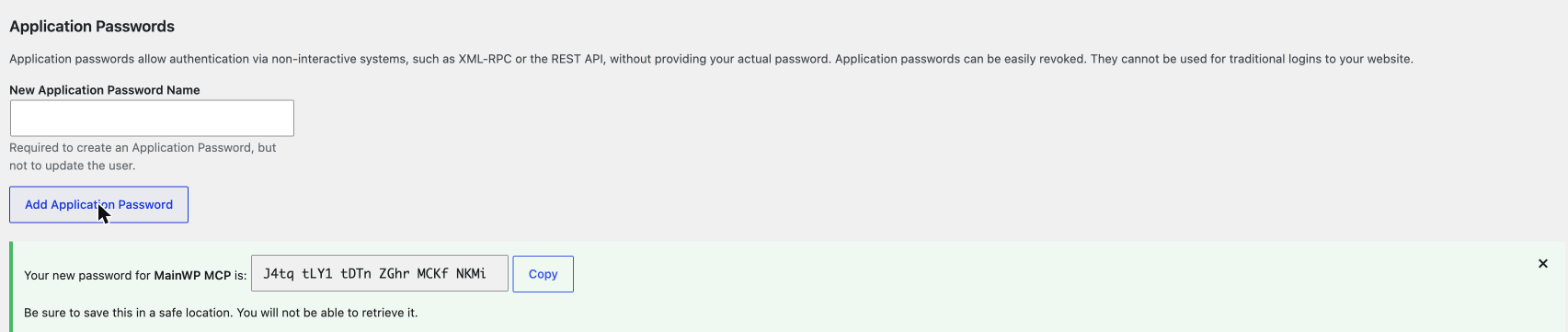
An Application Password is a separate password WordPress issues for tools like this one. It never changes your login password and you can revoke it at any time.In MainWP Dashboard, open API Access > Application Passwords and create a password for your current user. Alternatively, in the WordPress admin of your Dashboard site, go to Users > Profile and scroll to Application Passwords. Enter a name you will recognize later, such as MainWP MCP, and click Add Application Password.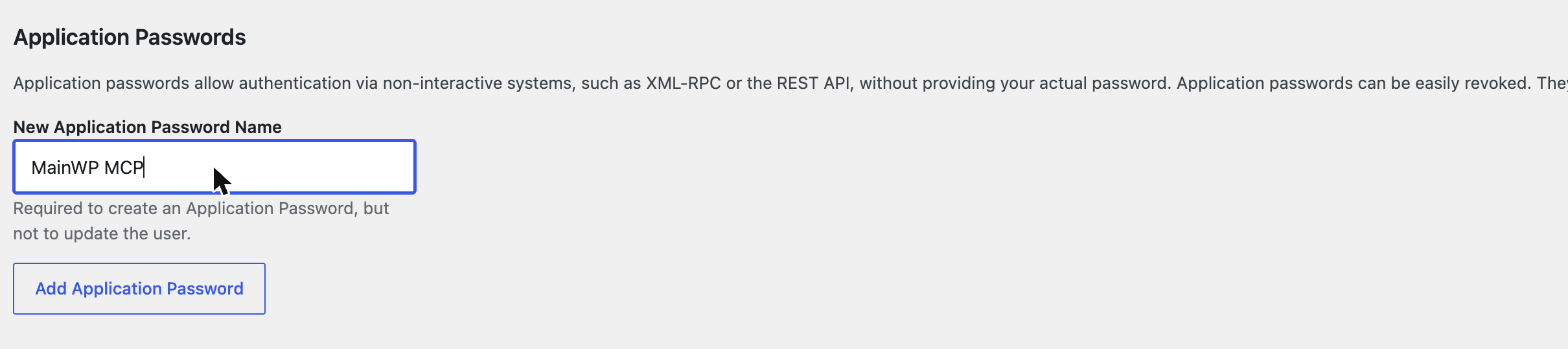
2
Add the server to Claude Desktop
Edit the Claude Desktop configuration file:Replace the URL with your Dashboard address, the username with the WordPress user that owns the Application Password, and the password with the one WordPress generated. Spaces in the password are fine either way, WordPress accepts it with or without them.
- macOS:
~/Library/Application Support/Claude/claude_desktop_config.json - Windows:
%APPDATA%\Claude\claude_desktop_config.json
mcpServers block (create the file if it does not exist):3
Restart Claude Desktop
Quit and reopen Claude Desktop so it picks up the new configuration. The MainWP tools load automatically when the app starts.
4
Run your first prompt
Ask:
List all my sitesA working setup returns your child sites by name and URL. From there, try “What sites need updates?” or anything from the Prompt Cookbook.
Consider creating a dedicated WordPress user for AI access instead of using your main admin account. It keeps the audit trail clean and is easy to revoke later. More on this in the Security Model.
If something didn’t work
- Nothing happens or the tools are missing: recheck the config file location and JSON syntax, then restart the app again.
- Errors mentioning 401 or authentication: the username must exactly match the user that owns the Application Password.
- Anything else: the Troubleshooting page covers the common failures with fixes.
Next steps
Connect other AI clients
Claude Code, Cursor, VS Code Copilot, OpenAI Codex, ZenCoder, and more.
Understand the guardrails
Deletions require your approval by default. See how that works.