
What You’ll Learn
- Configure global password policy settings
- Understand how policy settings sync to child sites
- Override policy settings for a single site
- Read Last Password Change and Password Status in Manage Users
- Control which users see Due Soon and Overdue notices
Prerequisites
- MainWP Dashboard v6 or newer
- MainWP Child v6 or newer on your connected child sites
- Administrator access to your MainWP Dashboard
Watch the Password Policy chapter for an overview of the settings, reminder timing, and a notice example.
Configure Global Password Policy
1
Open Password Policy settings
Go to MainWP > Users > Password Policy.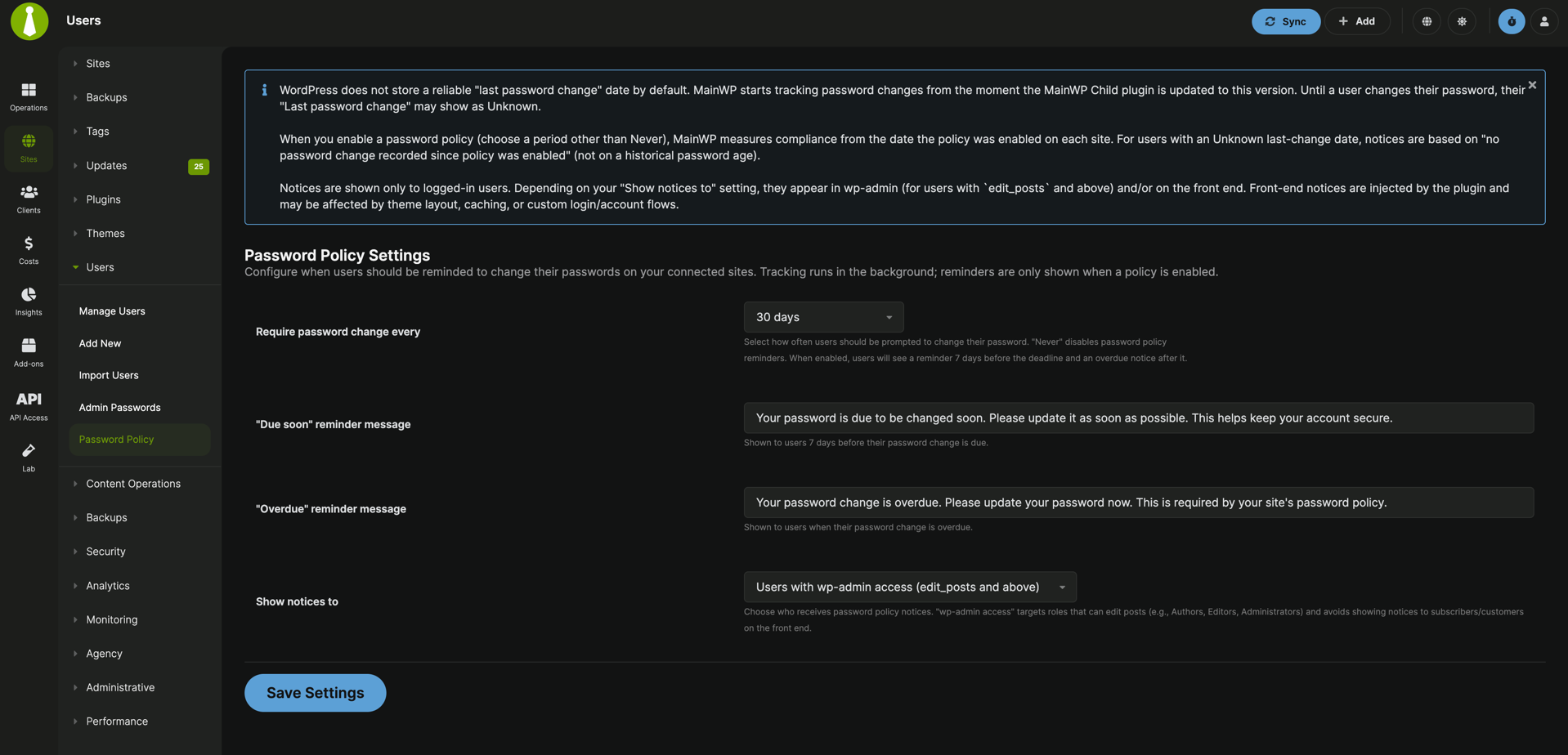
2
Set your policy options
Choose your password policy period, customize reminder messages, and select who should receive notices.
3
Save settings
Click Save Settings to store global settings and push updates to eligible child sites.
Global options
In the current UI, the Due Soon warning window is 7 days before the due date.
How Settings Sync
When you save global Password Policy settings:- MainWP pushes settings to connected child sites
- Sites with sync errors or suspended status are skipped
- Sites with Overwrite global settings for this site enabled are skipped
Per-Site Override
1
Open a site-specific Password Policy page
Go to MainWP > Sites > Manage Sites, open a site, then select Password Policy.
2
Enable override
Enable Overwrite global settings for this site.
3
Save site-specific settings
Set the same policy options for that site and click Save Settings.
What MainWP Tracks
MainWP Child tracks password changes in user meta (mainwp_last_password_change) whenever WordPress records a password update event.
Supported flows include:
- Lost password reset flow
- Password changes in WordPress profile screens
- Programmatic or front-end password updates that use WordPress user update hooks
- Password updates initiated from MainWP Dashboard user actions
WordPress does not provide a reliable historical “last password change” value by default. Tracking starts after MainWP Child is updated to a version that includes this feature.
Password Status in Manage Users
Go to MainWP > Users > Manage Users to see:- Last Password Change
- Password Status
- Fresh: Password is within policy window
- Due Soon: Password is in the warning window
- Overdue: Password is past due
- Disabled: Policy period is set to Never
- Unknown: No password change has been recorded yet
Notice Behavior
Password Policy in MainWP v6 is reminder-based:- Shows warning/critical notices for Due Soon and Overdue users
- Does not force password reset
- Does not block login
- Does not lock user accounts
Users with wp-admin access: notices are shown in wp-admin to users who canedit_postsAll users: low-level users can also see notices on the front end when logged in