
Customize your MainWP Dashboard logo using PHP code snippets in the free Custom Dashboard Extension. You can change the logo image, the URL it links to, and its alt text.
What You’ll Learn
- Replace the default MainWP logo with your own
- Change where the logo links to
- Update the logo alt text for accessibility
Prerequisites
- MainWP Dashboard installed
- Custom Dashboard Extension installed (free)
- A logo image (recommended size: 50x50 pixels)
Available Hooks
These hooks let you customize different aspects of the logo:Change the Logo Image
1
Install the Custom Dashboard Extension
2
Upload your logo
Upload a 50x50px image to your WordPress Media Library or via FTP to your Dashboard site.
3
Add the code snippet
Navigate to the Custom Dashboard Extension and add this snippet to the PHP tab: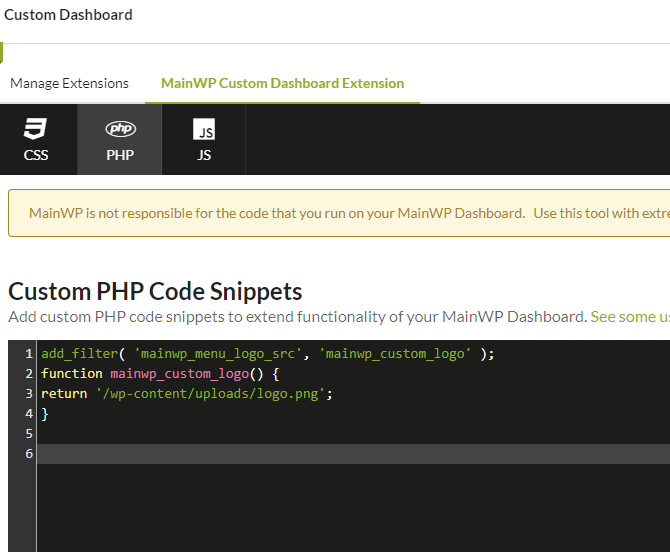
4
Update the image path
Change
/wp-content/uploads/logo.png to your actual image location.To verify the path works, temporarily use a full URL like
https://your-dashboard.com/wp-content/uploads/logo.png. Once confirmed, switch back to the relative path.5
Save changes
Click Save Changes. The new logo appears immediately.
Change the Logo Link URL
By default, the logo links to the MainWP Overview page. You can change this destination.1
Open Custom Dashboard
Navigate to the Custom Dashboard Extension’s PHP tab.
2
Add the code snippet
Add this snippet: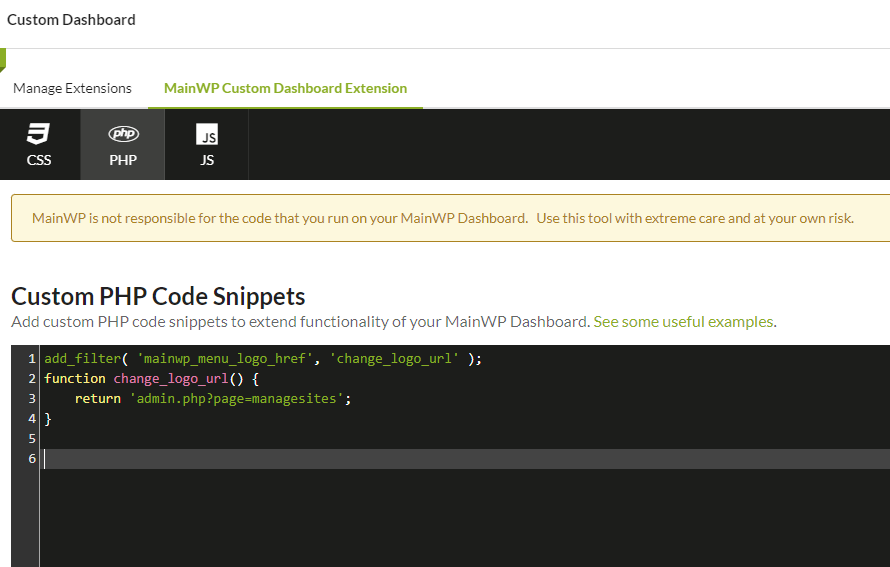
3
Update the URL
Change
admin.php?page=managesites to your desired destination page.4
Save changes
Click Save Changes.
Change the Logo Alt Text
Update the alt text for accessibility and SEO.1
Open Custom Dashboard
Navigate to the Custom Dashboard Extension’s PHP tab.
2
Add the code snippet
Add this snippet: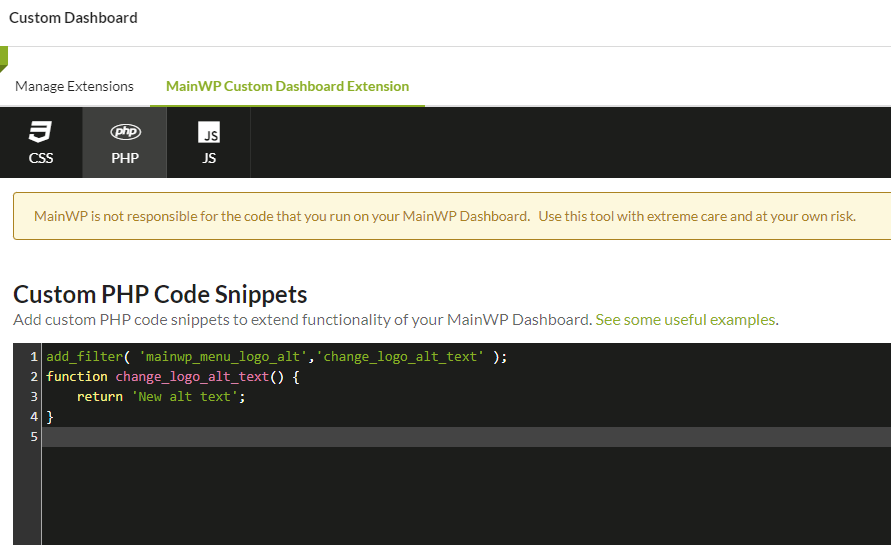
3
Update the alt text
Change
Your Company Name Dashboard to your desired alt text.4
Save changes
Click Save Changes.
Self-Check Checklist
- Custom Dashboard Extension installed and active
- Logo image uploaded to Dashboard site
- Code snippet added with correct path
- Changes saved
- New logo displaying correctly
Related Resources
- Custom Dashboard Extension - Full extension documentation
- Dashboard Themes - Switch dashboard visual themes
- White Label Extension - Complete branding solution