
What You’ll Learn
- How Parent Theme Lock protects your sites
- Where the lock icon appears in the Dashboard
- How to safely delete a locked parent theme
Prerequisites
- MainWP Dashboard with connected child sites
- Child sites using child themes (themes that depend on parent themes)
How Parent Theme Lock Works
When a child theme is active on a site, it depends on its parent theme for core functionality and styling. Deleting the parent theme would break the site’s appearance and potentially cause PHP errors. Parent Theme Lock prevents this by blocking deletion of any parent theme that has an active child theme depending on it. The lock appears automatically—no configuration required.Where the Lock Appears
Manage Themes Page
On MainWP > Themes > Manage Themes, locked parent themes show a lock icon. Hover over the icon to see why the theme cannot be deleted.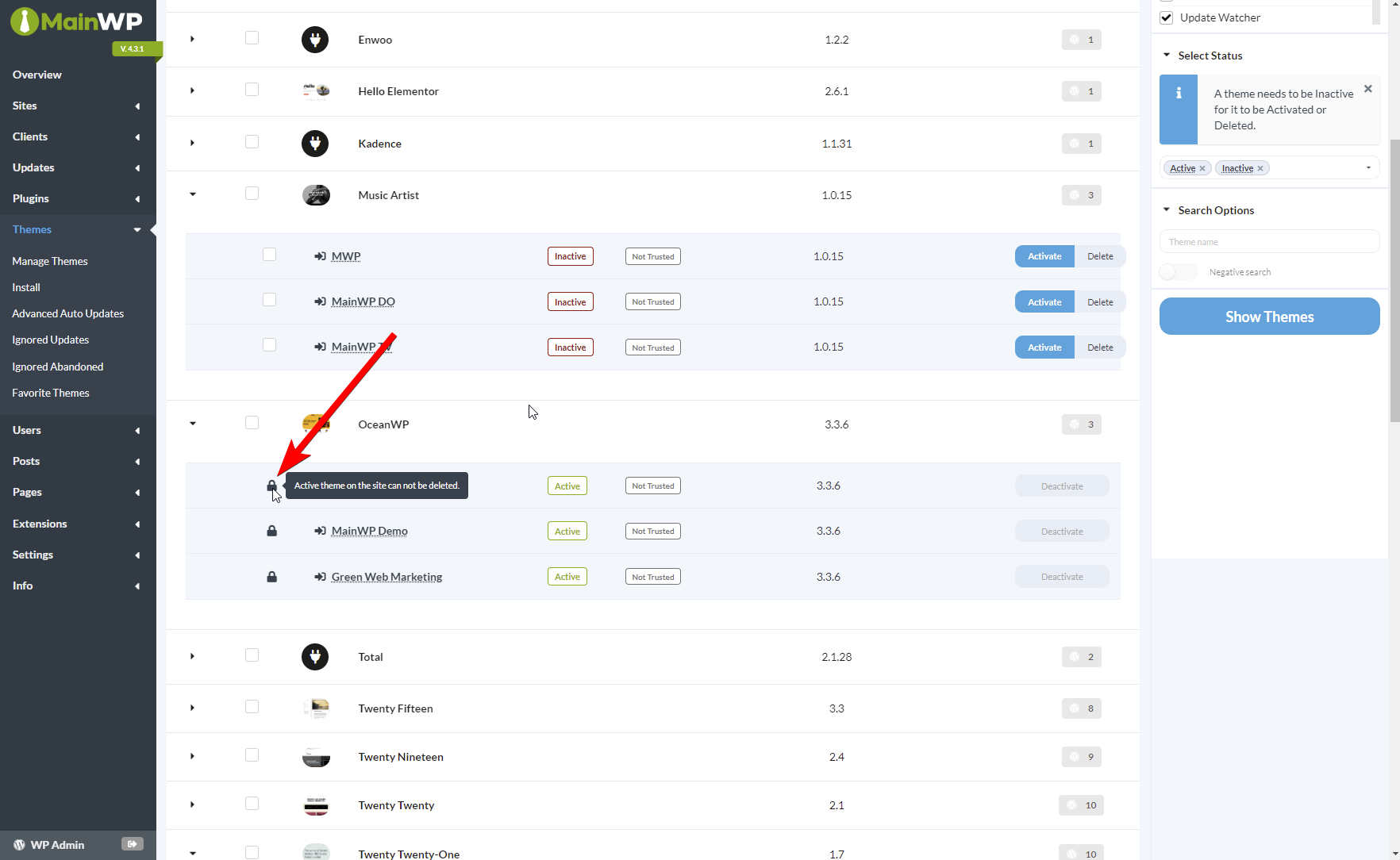
Individual Site Overview
When viewing a specific child site’s Overview page, the Themes widget shows the lock status for parent themes.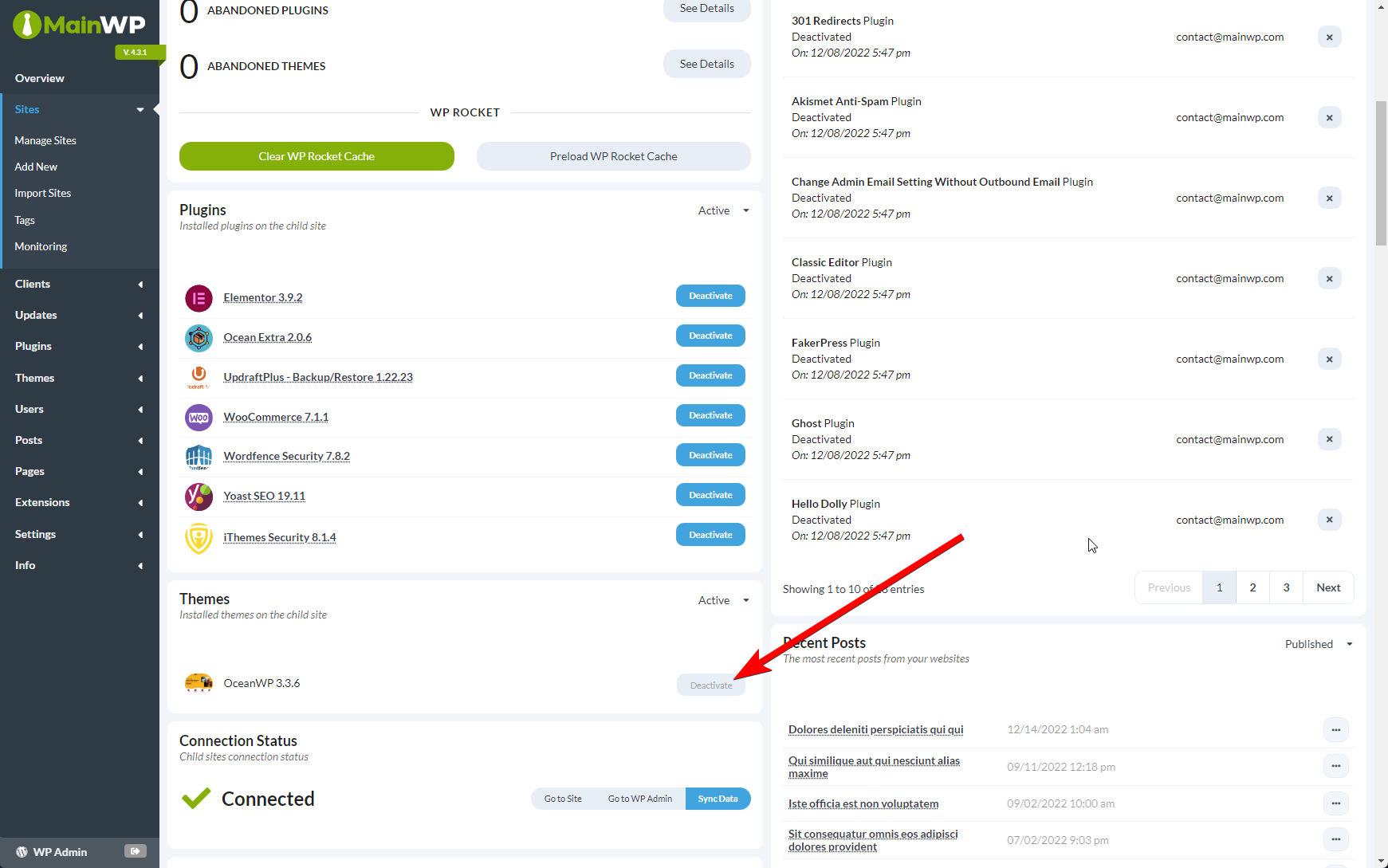
Delete a Locked Parent Theme
If you need to delete a parent theme that’s currently locked:1
Access child site admin
Navigate to the child site’s wp-admin using Jump to WP Admin or by logging in directly.
2
Open Themes
Go to Appearance > Themes.
3
Switch themes
Activate a different theme that does not depend on the parent you want to delete.
4
Sync the site
Return to your MainWP Dashboard and sync the child site to update theme status.
5
Delete parent theme
The parent theme is now unlocked and can be deleted from Manage Themes.
If multiple child sites use child themes that depend on the same parent, you must switch themes on all of them before the parent becomes deletable.
Why This Protection Matters
Without Parent Theme Lock, accidentally deleting a parent theme while cleaning up unused themes across your network could result in:- Broken site appearance
- Missing templates
- Unstyled content
- PHP errors
Key Points
Self-Check Checklist
- You understand why the lock icon appears on certain themes
- You know how to switch themes to unlock a parent theme
- You remember to sync after changing themes on child sites
Related Resources
- Manage Themes - Full theme management documentation
- Negative Search - Find sites missing specific themes