
- A premium plugin uses non-standard update mechanisms
- You need to manually update to a specific plugin version
- You want to ensure consistent versions across sites with the same plugin
What You’ll Learn
- How to find sites with a specific plugin installed
- How to install a plugin to those selected sites
Prerequisites
- Child sites synced with your Dashboard
- Plugin ZIP file (if uploading manually)
Before Using a ZIP for Premium Updates
If a premium update is missing, first check MainWP > Settings > Premium Updates in MainWP Dashboard 6.2. Built-in compatibility covers many products, and Custom Identifiers lets you add others without a code snippet. Verify the license on the child site and sync again before deciding whether a manual installation is needed.
Find Sites with the Plugin Installed
1
Navigate to Manage Plugins
Go to MainWP > Plugins > Manage Plugins.
2
Switch to Per Site view
Click Show Plugins per Site to switch the view.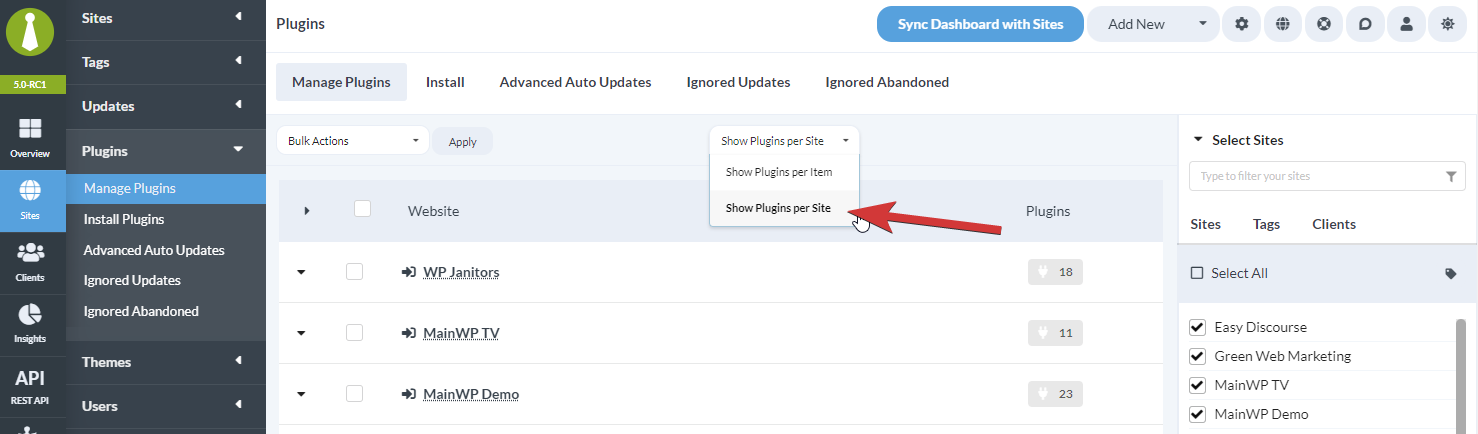
3
Select child sites
Select the child sites to search. For this scenario, you’ll typically want to select all sites.
4
Choose plugin status
In the Select Status dropdown, select:
- Active - Sites with the plugin active
- Inactive - Sites with the plugin installed but not active
- Active & Inactive - All sites with the plugin installed
5
Search for the plugin
In the Search Options field, type the plugin name.
6
Show results
Click Show Plugins. The table displays all sites with that plugin installed.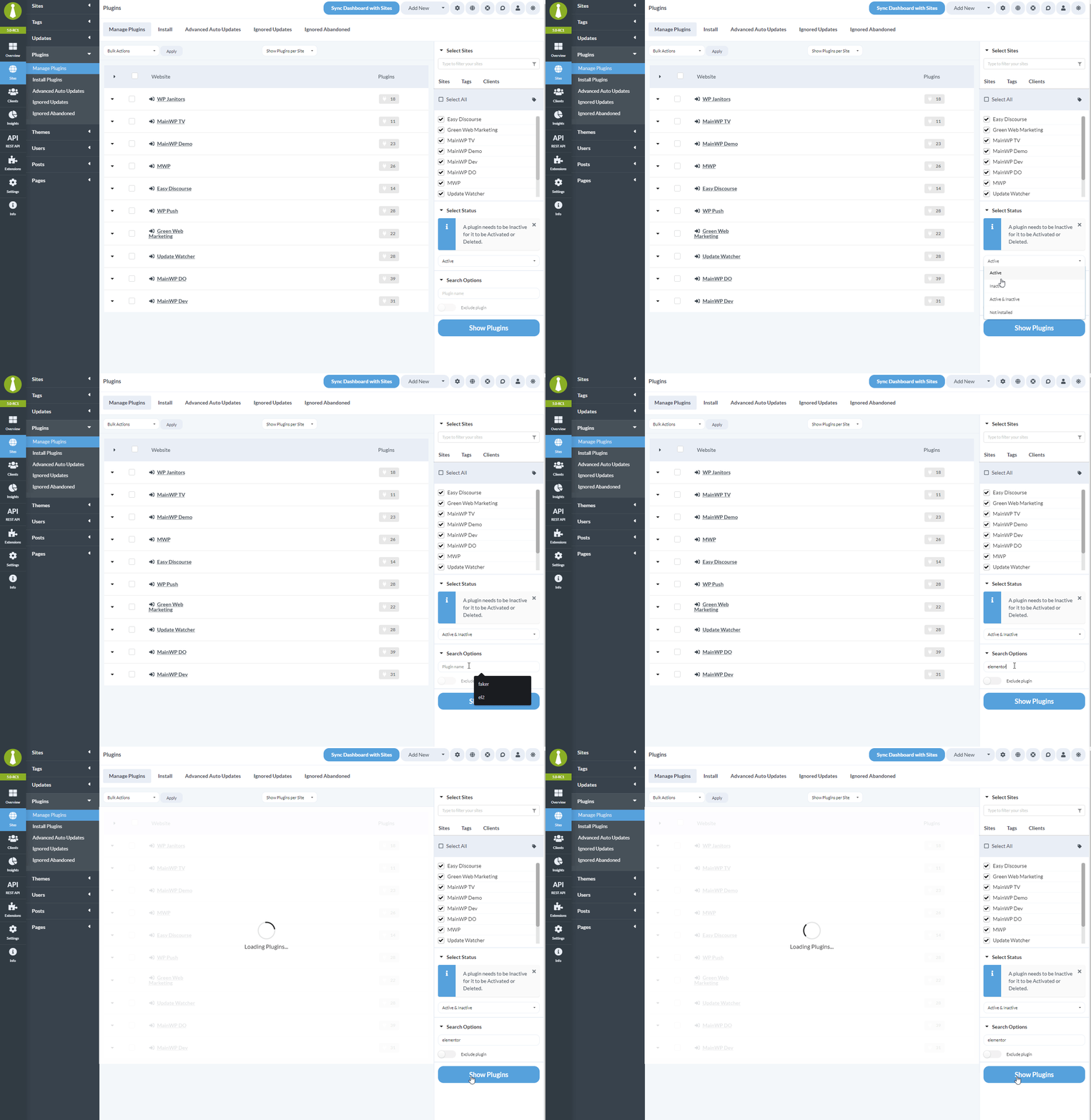
Install Plugin to Selected Sites
1
Select sites
Select all or some sites from the results table.
2
Click Install to Selected Sites
Click the Install to Selected Site(s) button.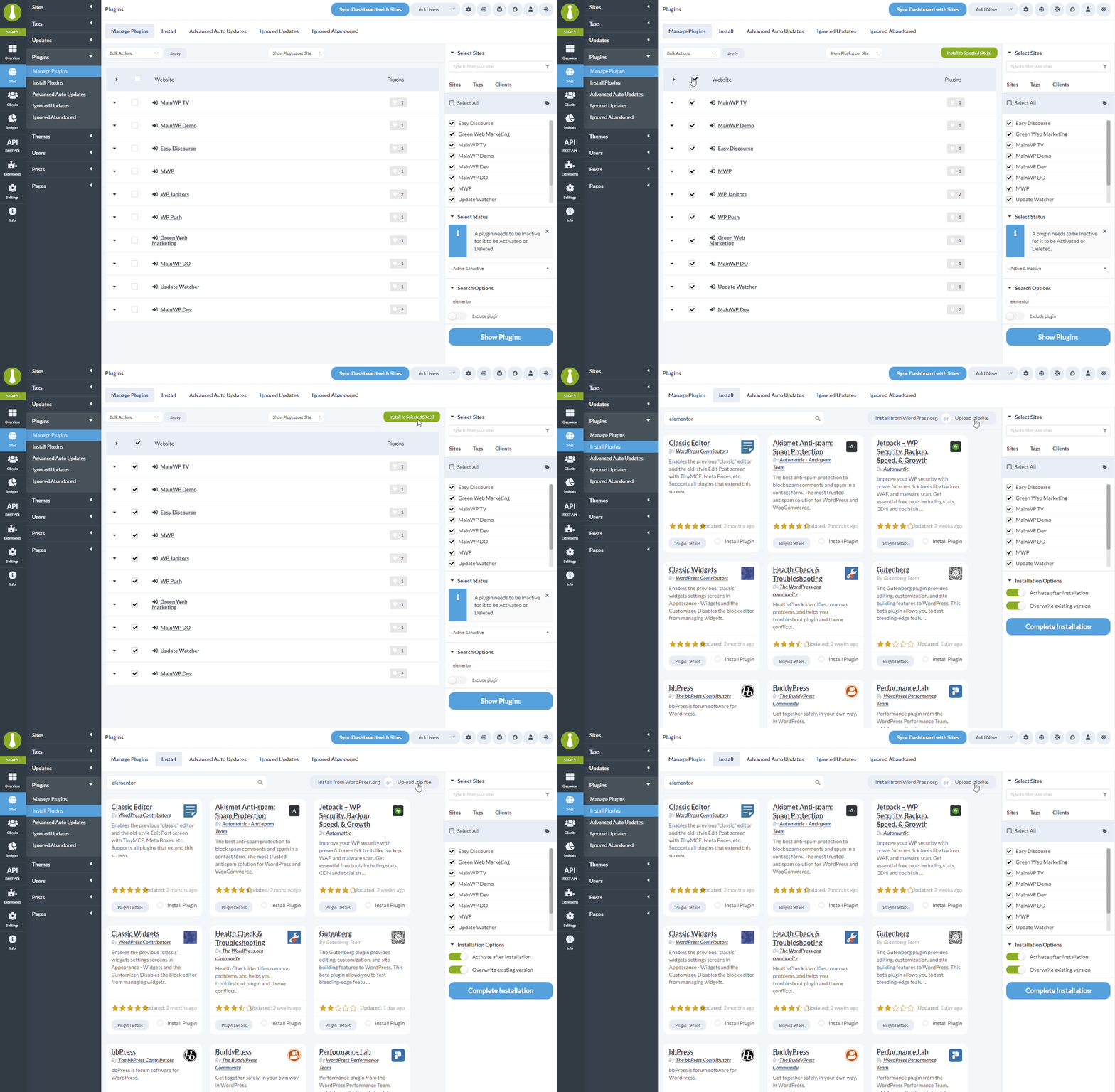
3
Install the plugin
You’re taken to Plugins > Install Plugins with the selected child sites pre-selected. Install the plugin by:
- Searching WordPress.org and clicking Install
- Uploading a ZIP file
Use Cases
Self-Check Checklist
- Switched to “Per Site” view
- Selected target child sites
- Searched for plugin by name
- Selected sites from results
- Clicked Install to Selected Sites
- Installed plugin via WordPress.org or ZIP upload
Related Resources
- Find Sites Missing a Plugin - Sites without a plugin
- Managing Plugins - Plugin management overview
- Premium Plugin Updates Not Detected - Update detection issues