
The “Not installed” filter in MainWP helps you identify which child sites are missing a specific plugin or theme. This is useful when ensuring consistent plugin installations across your network.
What You’ll Learn
- How to use the “Not installed” filter
- How to identify sites missing a plugin or theme
Prerequisites
- MainWP Dashboard v4.5 or later
- Child sites synced with your Dashboard
Find Sites Missing a Plugin
1
Navigate to Manage Plugins
Go to MainWP > Plugins > Manage Plugins.
2
Select child sites
In the site selector, choose which child sites to search.
3
Select Not installed status
In the Select Status dropdown, choose Not installed.
4
Enter plugin name
In the Search Options field, type the name of the plugin you’re looking for.
5
Show results
Click Show Plugins. The table displays all selected sites that don’t have that plugin installed.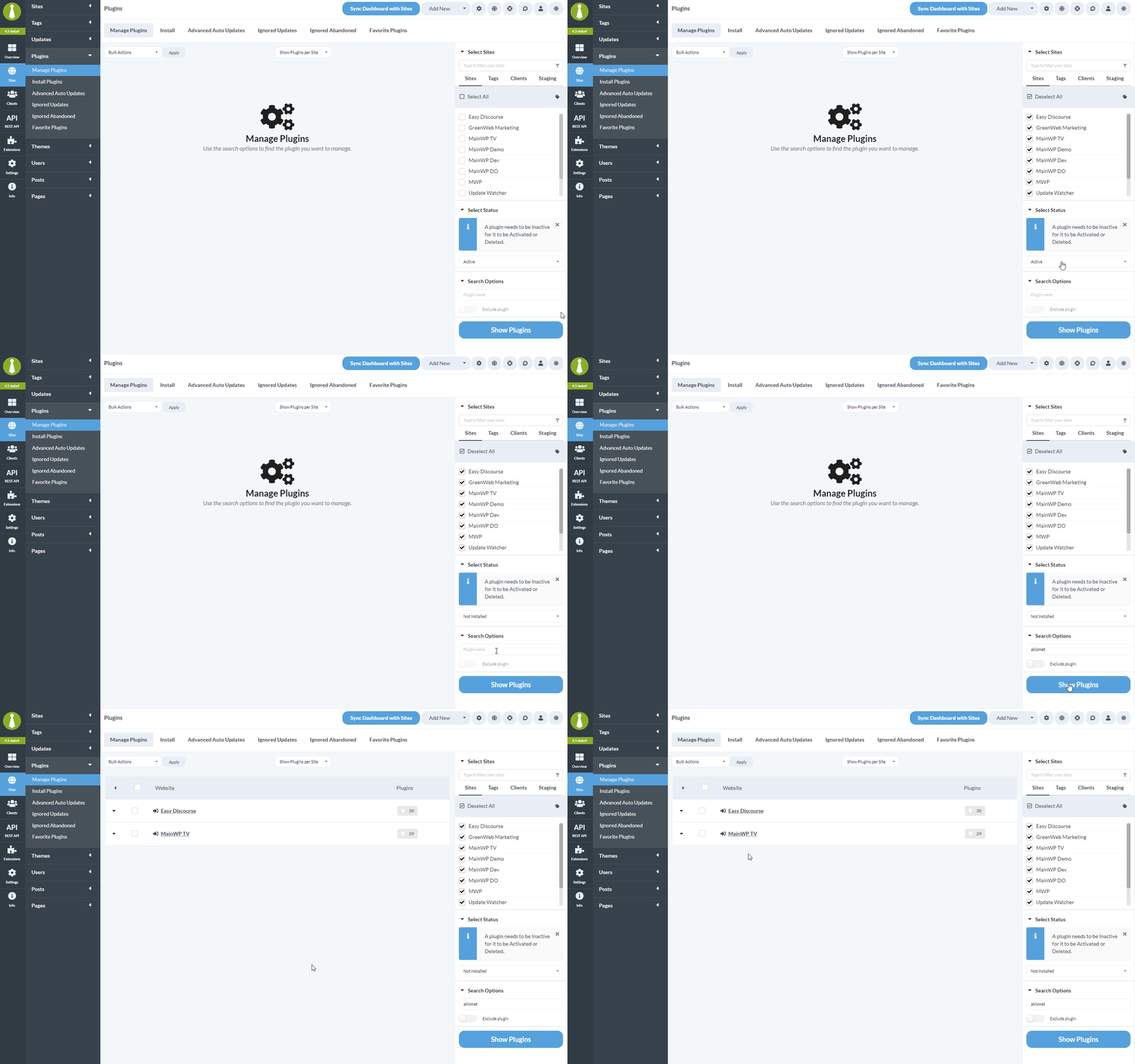
Find Sites Missing a Theme
1
Navigate to Manage Themes
Go to MainWP > Themes > Manage Themes.
2
Select child sites
Choose which child sites to search.
3
Select Not installed status
In the Select Status dropdown, choose Not installed.
4
Enter theme name
Type the name of the theme you’re looking for.
5
Show results
Click Show Themes. The table displays all selected sites that don’t have that theme installed.
Important Notes
When searching with the “Not installed” status, results display only in “Per Site” view. You cannot switch to “Per Item” view while viewing these results.
After Finding Sites
Once you’ve identified sites missing a plugin or theme, you can:- Install the plugin/theme on those sites using MainWP’s bulk install feature
- Export the list for documentation
- Use the Install on Sites feature for targeted installations
Self-Check Checklist
- Navigated to Manage Plugins or Manage Themes
- Selected target child sites
- Chose “Not installed” from status dropdown
- Entered plugin/theme name in search
- Reviewed sites missing the plugin/theme
Related Resources
- Install Plugin on Specific Sites - Targeted installations
- Managing Plugins - Plugin management overview
- Managing Themes - Theme management overview