
What You’ll Learn
- When to change the signature algorithm
- How to switch between OpenSSL and PHPSecLib
- How to configure these settings per site
Prerequisites
- MainWP Dashboard version 4.5 or later
- Admin access to your Dashboard
Signature Algorithm
Background
MainWP uses digital signatures to verify communication between Dashboard and Child Sites. Previously, MainWP used SHA1 for signature verification. As hosts updated to OpenSSL 3, some disabled SHA1 as a legacy option. MainWP now defaults to SHA256, which provides enhanced security and works with both OpenSSL 1 and OpenSSL 3.Change the Global Signature Algorithm
If your Dashboard host doesn’t support a certain SHA algorithm, connections may fail.1
Open Advanced Settings
Go to MainWP Dashboard > Settings > Advanced Settings.
2
Select algorithm
Find OpenSSL signature algorithm and select a supported algorithm.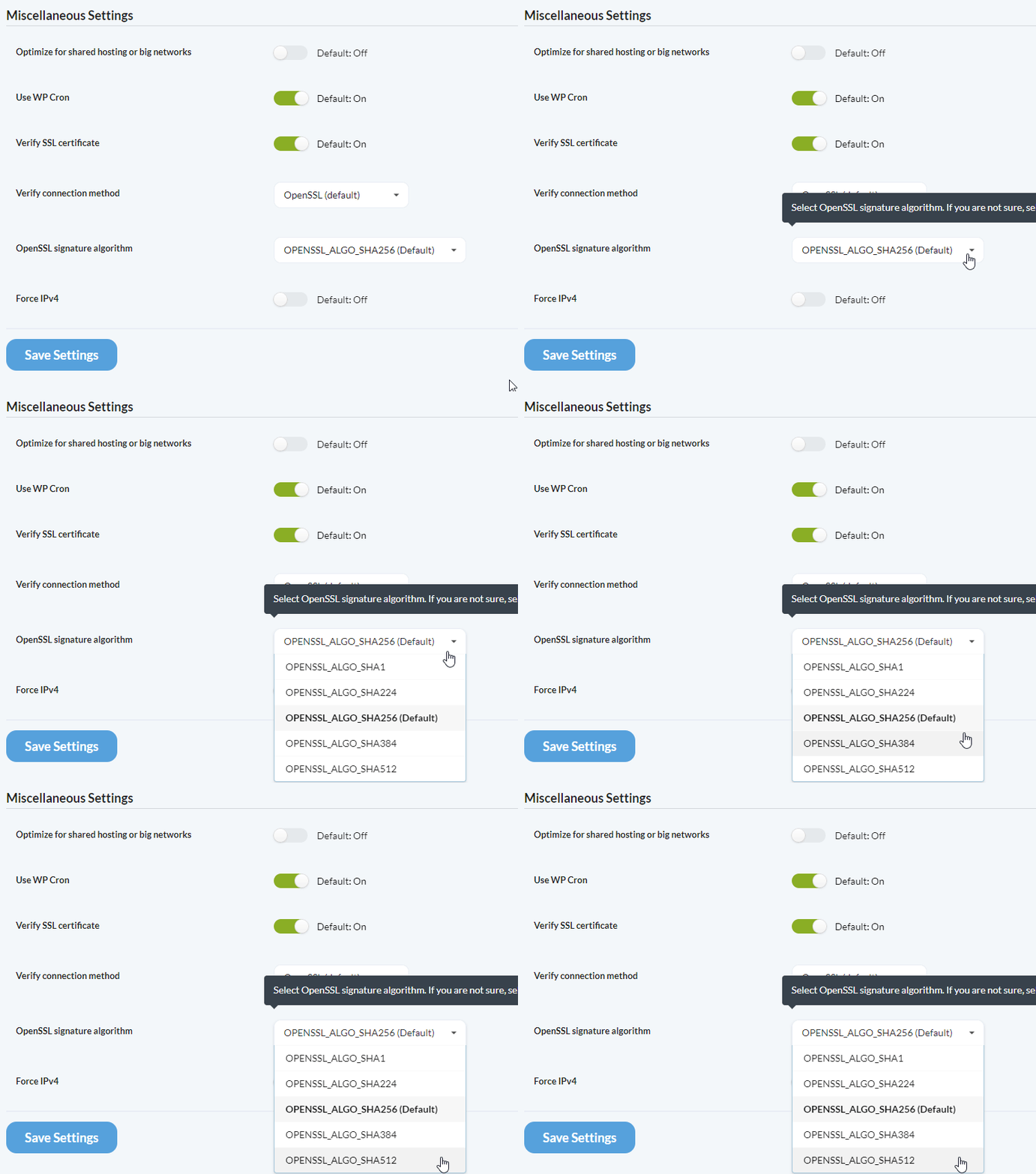
3
Save settings
Save your changes.
Signature verification happens after a site is added to the Dashboard. If verification fails, the site can still be added, but sync and other authenticated actions will fail.
Switching Back to SHA1
To switch from SHA256 to SHA1 (globally or for specific sites), you must reconnect affected child sites:- Visit each child site’s WP Admin
- Deactivate and reactivate the MainWP Child plugin (this disconnects it)
- Reconnect the site from your Dashboard
PHPSecLib as Alternative to OpenSSL
When to Use PHPSecLib
PHPSecLib is a pure PHP implementation of cryptographic functions. Use it when:
If OpenSSL works properly on your host (most web hosts), there’s no need to switch to PHPSecLib.
Enable PHPSecLib Globally
1
Open Advanced Settings
Go to MainWP Dashboard > Settings > Advanced Settings.
2
Change connection method
Find Verify connection method and select PHPSecLib.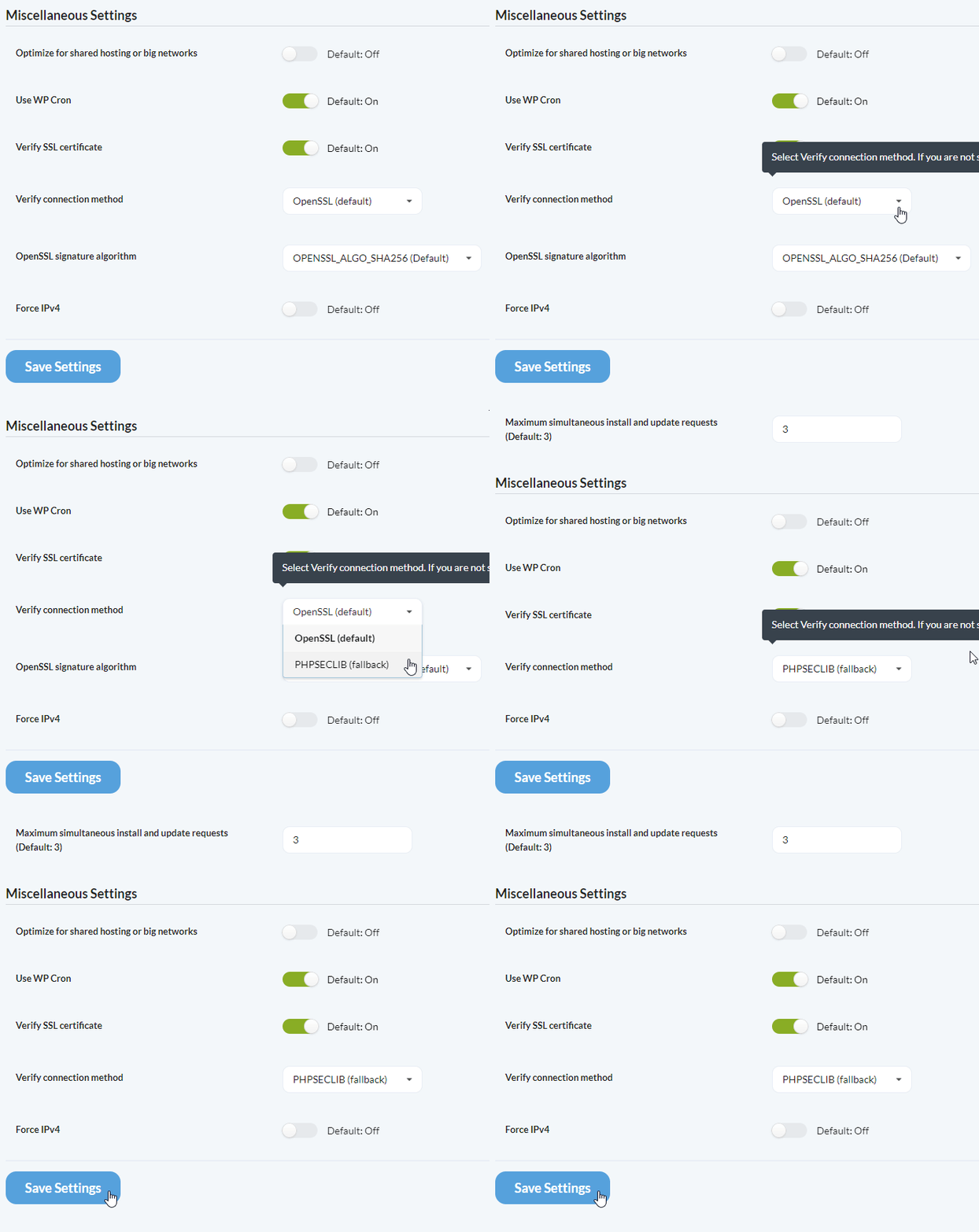
3
Save settings
Save your changes.
Per-Site Settings
Both signature algorithm and connection method can be configured per site. This is useful when a specific child site’s host has different requirements.1
Open site edit page
Go to MainWP Dashboard > Sites > Manage Sites.
2
Select the site
Click on the child site, then click Edit.
3
Find Advanced Settings
Scroll to the Advanced Settings (Optional) section.
4
Configure options
Set the signature algorithm and/or verify connection method for this specific site.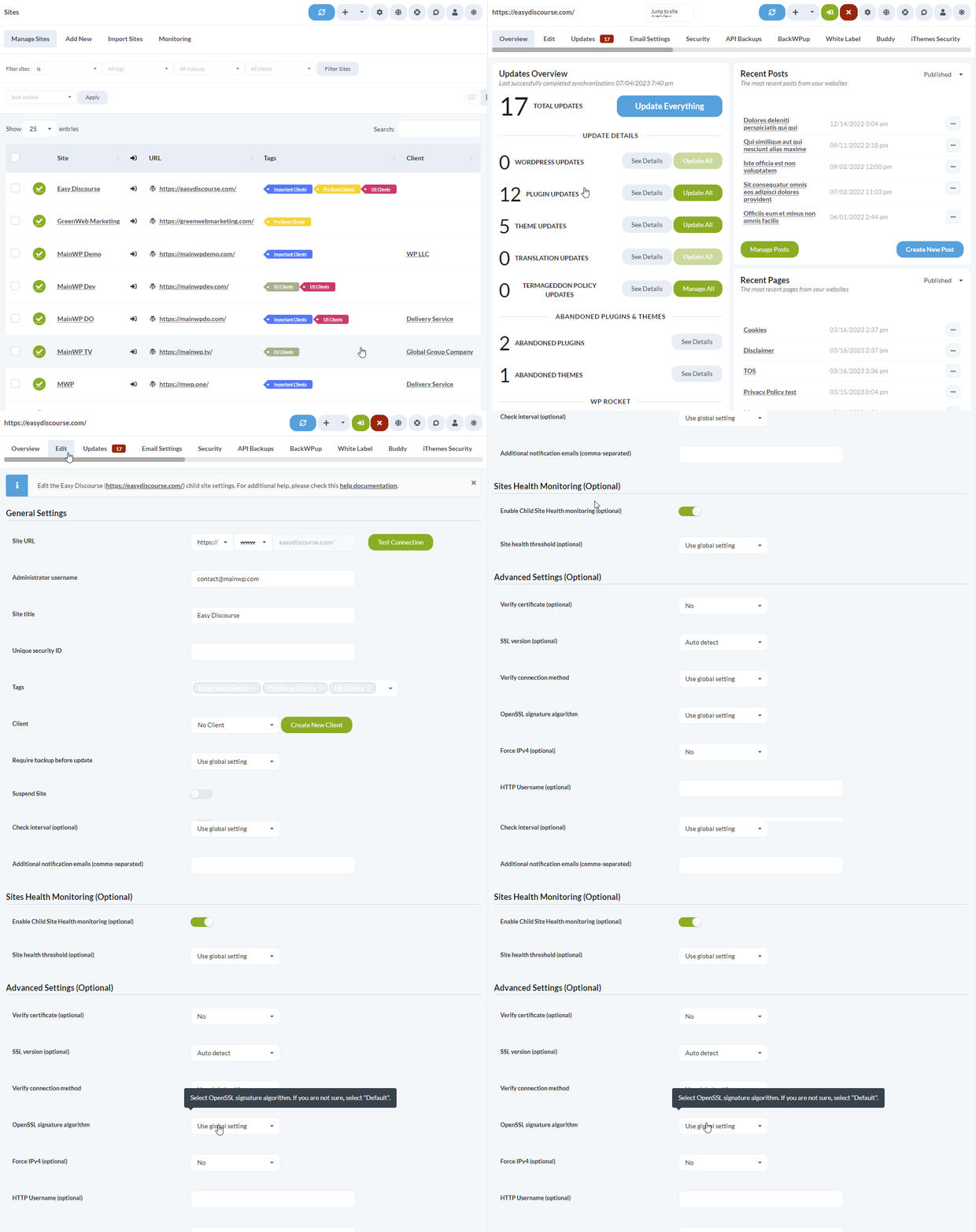
5
Save changes
Save the site settings.
Self-Check Checklist
- Identified whether connection issues are signature or OpenSSL related
- Selected appropriate signature algorithm for your host
- Configured PHPSecLib if OpenSSL is unavailable
- Child sites connecting and syncing successfully
Related Resources
- OpenSSL Key Encryption - Private key encryption
- Find openssl.cnf - Locate OpenSSL configuration
- MainWP Security - Security overview