
By default, WordPress redirects users to the standard wp-admin dashboard after login. You can change this to redirect directly to the MainWP Overview page instead.
What You’ll Learn
- How to redirect login to the MainWP Overview page
- Two methods to implement the redirect
Prerequisites
- MainWP Dashboard installed
- Choose one method below (using both simultaneously can cause issues)
Method 1: Custom Dashboard Extension (Recommended)
1
Install Custom Dashboard
Install the Custom Dashboard Extension (free).
2
Open the add-on
Navigate to MainWP > Add-ons > Custom Dashboard.
3
Add the PHP code
Go to the PHP tab and add this code: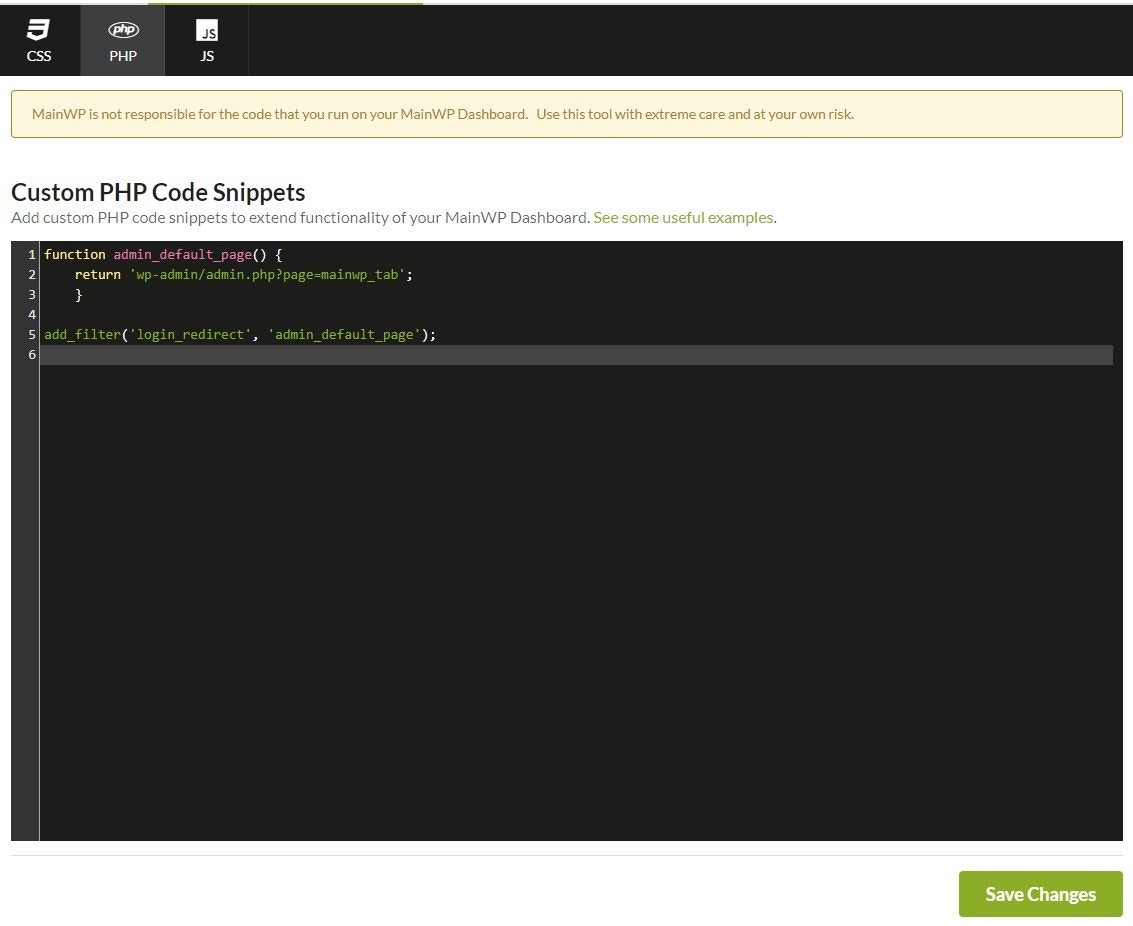
4
Save changes
Click Save Changes. The next time you log in, you’ll be redirected to the MainWP Overview page.
Method 2: Edit functions.php
Use this method if you prefer not to install an add-on.1
Open Theme File Editor
Navigate to WP Admin > Tools > Theme File Editor on your Dashboard site.
2
Select functions.php
In the right sidebar, click on Theme Functions (functions.php).
3
Add the code
Add this code at the end of the file:
4
Save the file
Click Update File.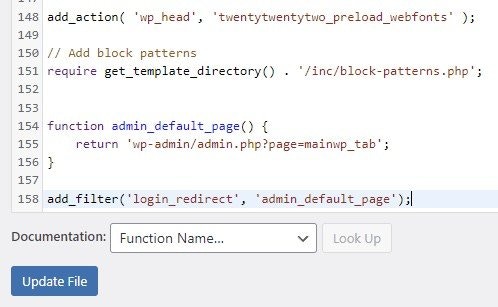
Redirect to a Different Page
To redirect to a different MainWP page, change the URL in the code:Self-Check Checklist
- Code added via Custom Dashboard OR functions.php (not both)
- Changes saved
- Tested by logging out and back in
- Redirects to MainWP Overview page
Related Resources
- Custom Dashboard Extension - Extension documentation
- Add Menu Entries - Customize navigation