
tmpfile() function is one of these, and MainWP requires it for uploading plugins and themes via ZIP file.
What You’ll Learn
- How to identify if tmpfile() is disabled
- How to enable tmpfile() in Cloudways
- How to verify the change worked
Prerequisites
- Cloudways account with access to Application Settings
- MainWP Dashboard installed on a Cloudways application
When You Need This
Enabletmpfile() if you encounter:
- Plugin or theme uploads failing from your MainWP Dashboard
- “tmpfile() has been disabled” error messages
- ZIP file installations timing out or producing errors
- The Favorites extension unable to deploy plugins
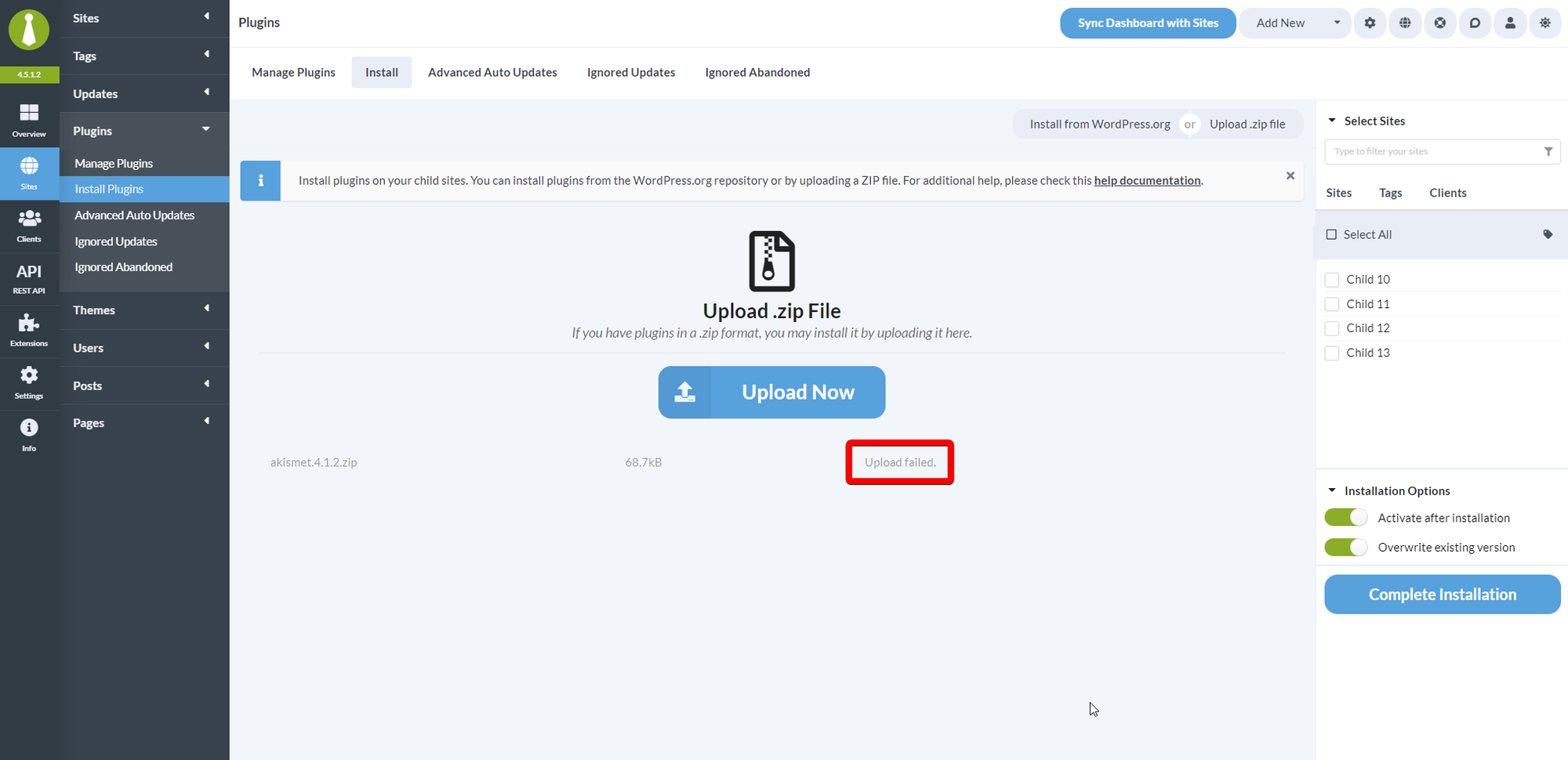
Enable tmpfile() on Cloudways
1
Log in to Cloudways
Access the Cloudways Platform at platform.cloudways.com and navigate to your servers list.
2
Select your application
Click on the server, then select the application where your MainWP Dashboard is installed.
3
Open Application Settings
From the left sidebar, click Application Settings.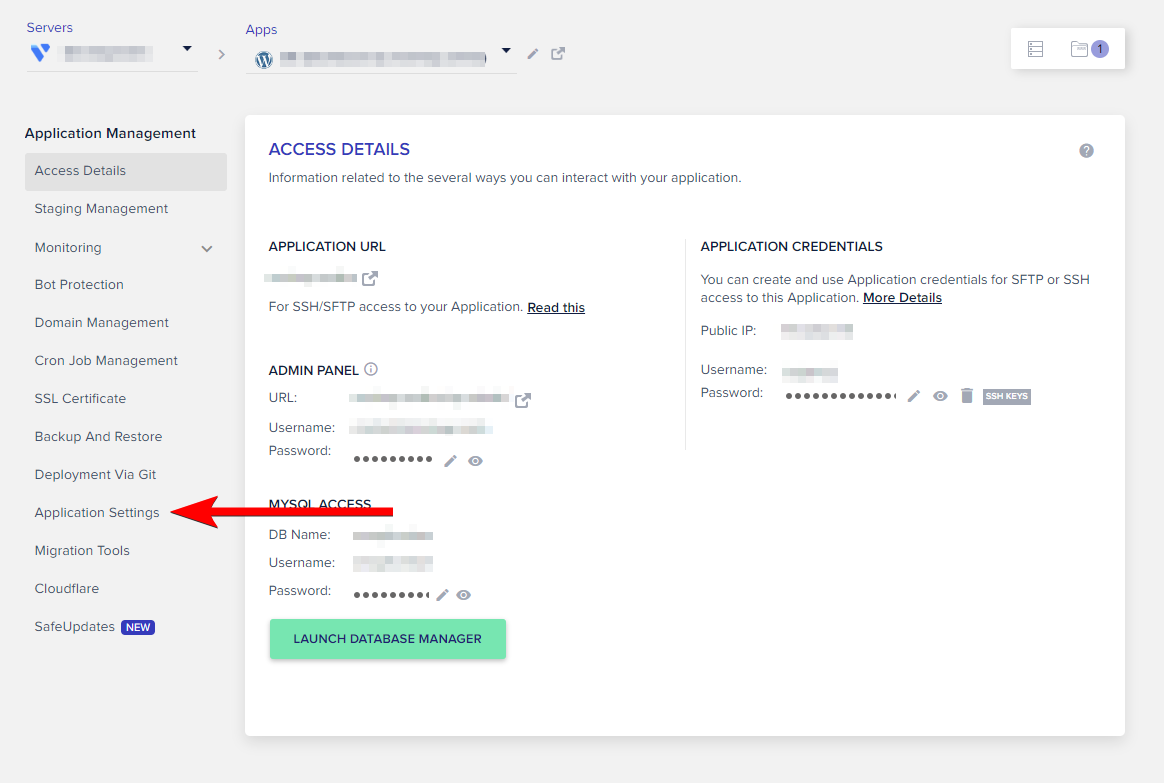
4
Navigate to PHP FPM Settings
Select the PHP FPM SETTINGS tab at the top of the settings panel.
5
Remove tmpfile from disabled functions
Locate the DISABLED FUNCTIONS field. Find 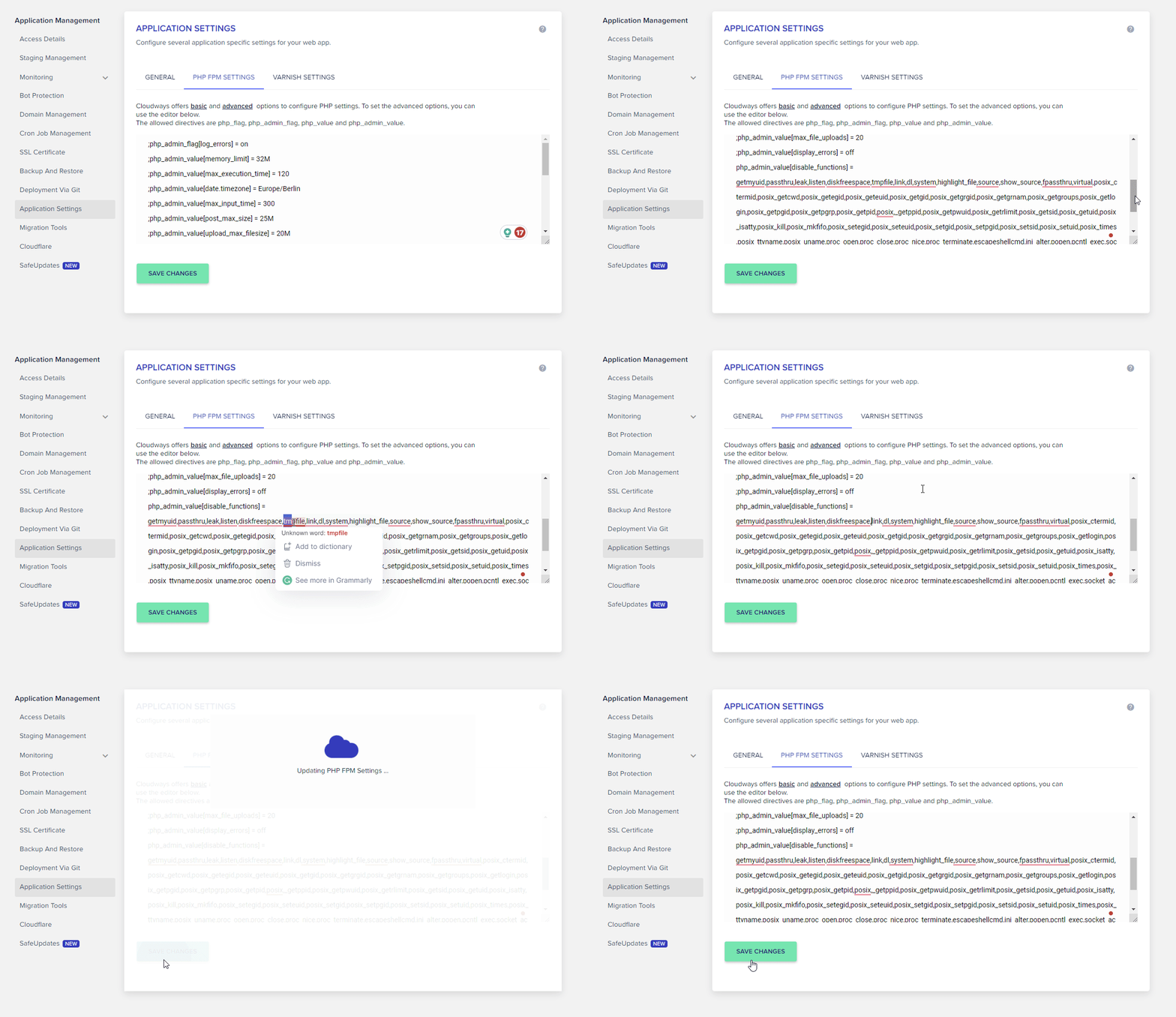
tmpfile in the list and delete it.6
Save changes
Click SAVE CHANGES. Cloudways applies the new PHP configuration.
Verify the Change
After saving changes, confirmtmpfile() is enabled:
1
Check Server Information
In your MainWP Dashboard, go to MainWP > Info > Server.
2
Review disabled functions
Look for
tmpfile in the PHP functions list. It should no longer appear under disabled functions.3
Test an upload
Optionally, test by uploading a small plugin ZIP file through MainWP > Plugins > Install Plugins > Upload.
If Changes Don’t Take Effect
Iftmpfile() still appears disabled after saving:
- Clear any server-side caching in Cloudways
- Wait a few minutes for the PHP-FPM process to restart
- Clear your browser cache and check Server Information again
- Contact Cloudways support if the function remains disabled
Self-Check Checklist
- Logged into Cloudways Platform
- Located correct application (MainWP Dashboard)
- Removed tmpfile from DISABLED FUNCTIONS list
- Saved changes
- Verified tmpfile no longer appears as disabled in MainWP
- Tested plugin/theme upload
Related Resources
- Required PHP Functions - Complete list of required functions
- Hosting Compatibility - General hosting requirements