> ## Documentation Index
> Fetch the complete documentation index at: https://docs.mainwp.com/llms.txt
> Use this file to discover all available pages before exploring further.
# Reconnect Sites with Security ID
> Learn how to reconnect child sites that require the Unique Security ID by retrieving it from the Child plugin settings and updating your Dashboard.
MainWP Child can require the Unique Security ID during connection or reconnection. If Password Authentication is disabled on the child site, Unique Security ID must be enabled because MainWP Child requires at least one connection authentication method.
## What You'll Learn
* Understand when the Security ID is required
* Retrieve the Security ID from a child site
* Enter the Security ID in your Dashboard
* Find the Security ID when the Child plugin is hidden
## Prerequisites
* MainWP Dashboard installed and activated
* MainWP Child plugin installed and activated on child sites
* Admin access to both Dashboard and child sites
***
## Why This Happens
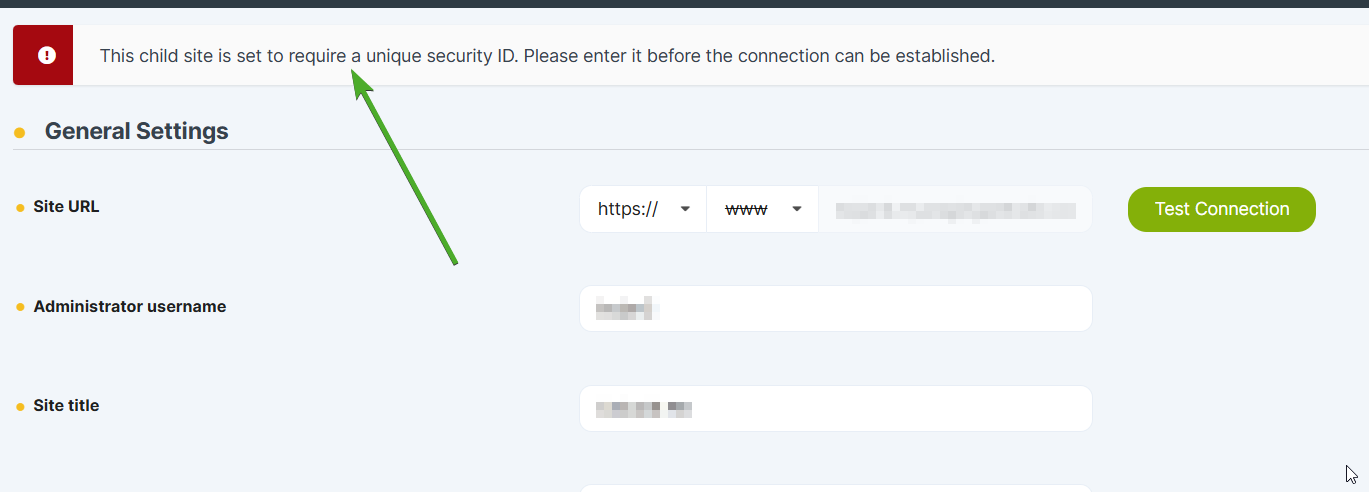
When connecting or reconnecting a child site with Unique Security ID enabled, you'll see this error:
> This child site is set to require a unique security ID. Please enter it before the connection can be established.
 The Security ID is required when:
* **Require Unique Security ID** is enabled in MainWP Child settings
* Password Authentication is disabled, leaving Unique Security ID as the required connection method
* The child site's Security ID changed and the Dashboard still has the old value
***
## Reconnect Using the Security ID
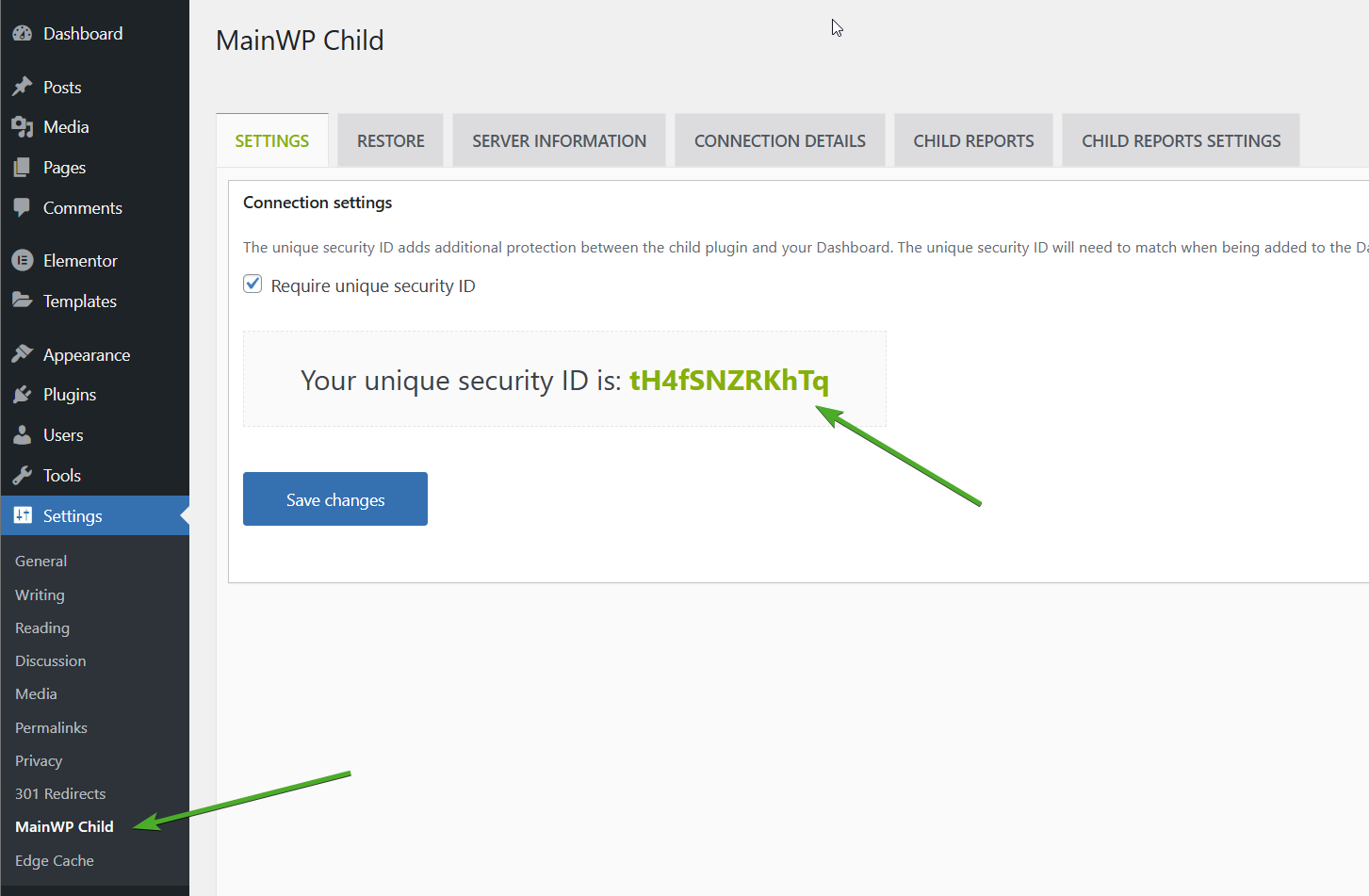
Access the WordPress Admin of the child site showing the connection error.
Go to **Settings > MainWP Child > Settings**.
Locate the **Unique Security ID** field and copy its value.
The Security ID is required when:
* **Require Unique Security ID** is enabled in MainWP Child settings
* Password Authentication is disabled, leaving Unique Security ID as the required connection method
* The child site's Security ID changed and the Dashboard still has the old value
***
## Reconnect Using the Security ID
Access the WordPress Admin of the child site showing the connection error.
Go to **Settings > MainWP Child > Settings**.
Locate the **Unique Security ID** field and copy its value.
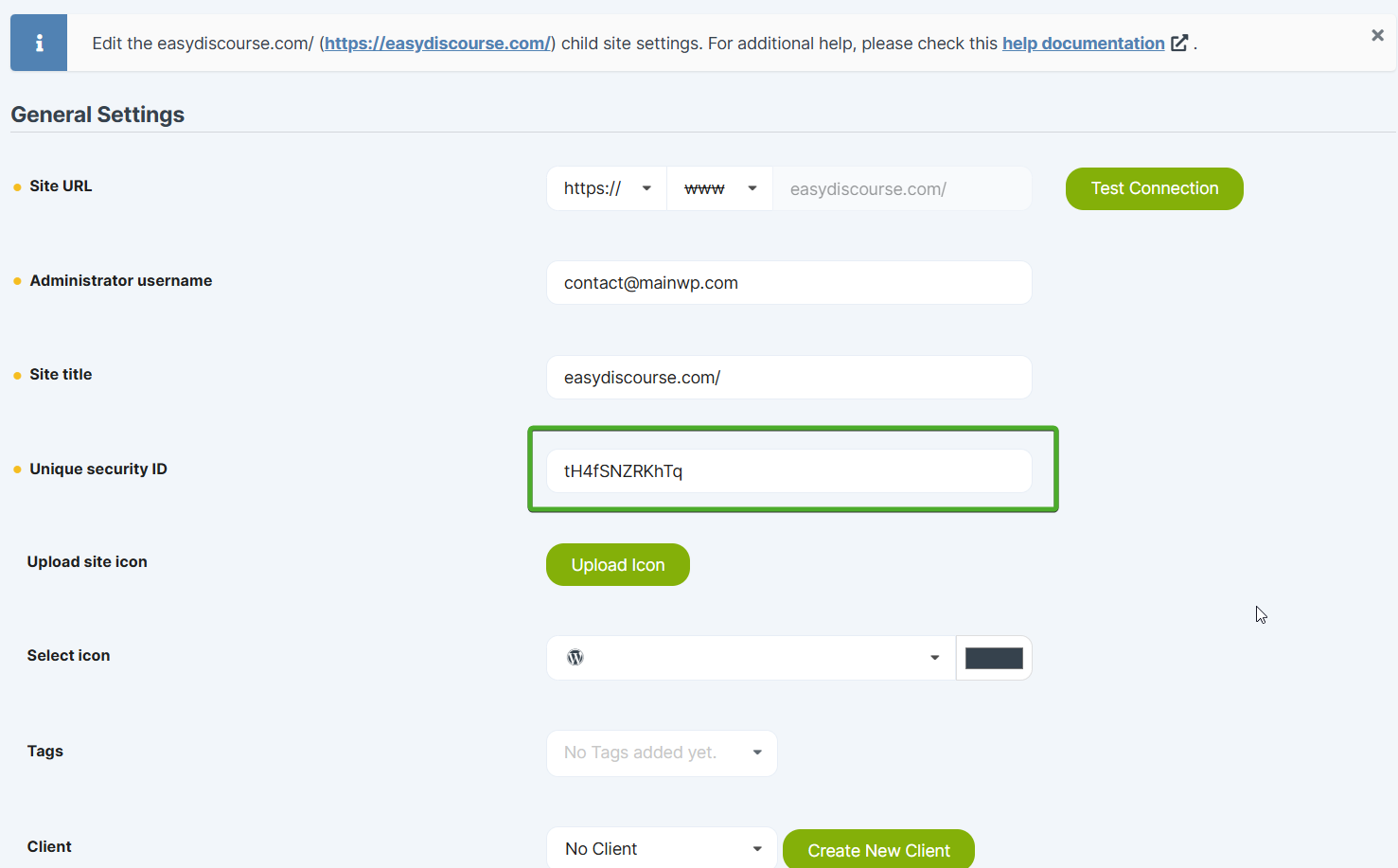
 Log in to your MainWP Dashboard and go to **MainWP > Sites > Manage Sites**. Find the child site and click **Edit**.
Paste the copied Security ID into the **Unique Security ID** field.
Log in to your MainWP Dashboard and go to **MainWP > Sites > Manage Sites**. Find the child site and click **Edit**.
Paste the copied Security ID into the **Unique Security ID** field.
 Scroll down and click **Save Settings**.
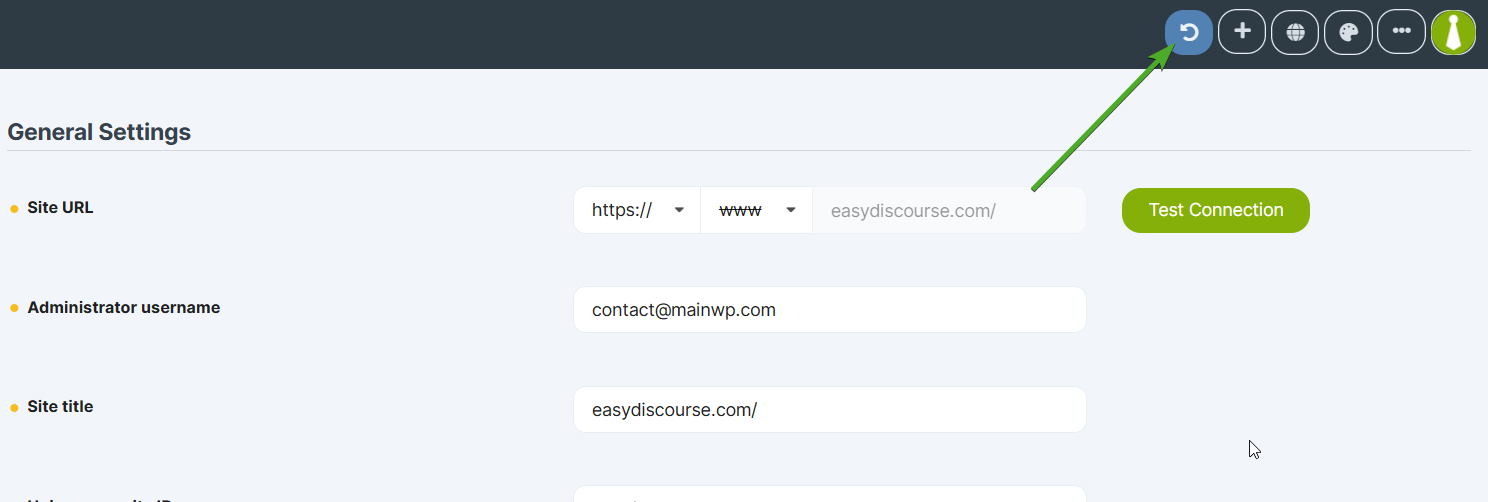
Click the **Reconnect** icon in the site's action menu.
Scroll down and click **Save Settings**.
Click the **Reconnect** icon in the site's action menu.
 ***
## Find Security ID When Child Plugin is Hidden
If you're using the White Label extension to hide the MainWP Child plugin, the settings page won't be visible. Retrieve the Security ID directly from the WordPress options table.
Access the WordPress Admin of the child site.
Navigate to `your-child-site.com/wp-admin/options.php` in your browser.
Use your browser's find feature (**Ctrl+F** or **Command+F**) to search for:
```text theme={null}
mainwp_child_uniqueId
```
Copy the value from the `mainwp_child_uniqueId` field.
***
## Find Security ID When Child Plugin is Hidden
If you're using the White Label extension to hide the MainWP Child plugin, the settings page won't be visible. Retrieve the Security ID directly from the WordPress options table.
Access the WordPress Admin of the child site.
Navigate to `your-child-site.com/wp-admin/options.php` in your browser.
Use your browser's find feature (**Ctrl+F** or **Command+F**) to search for:
```text theme={null}
mainwp_child_uniqueId
```
Copy the value from the `mainwp_child_uniqueId` field.
 Return to your Dashboard and follow steps 4-7 above to paste the Security ID and reconnect.
***
## Self-Check Checklist
* [ ] Retrieved Security ID from child site settings (or options.php)
* [ ] Pasted Security ID into Dashboard site settings
* [ ] Saved Dashboard settings
* [ ] Successfully reconnected the child site
* [ ] Site syncs without errors
***
## Related Resources
* [Get Started with MainWP](/getting-started/get-started-with-mainwp) - Connect your first child site
* [Force Reconnection](/troubleshooting/how-can-i-force-my-mainwp-dashboard-to-reestablish-connection-with-child-sites) - Reconnect all sites
* [White Label Extension](/add-ons/agency/white-label-extension) - Hide the Child plugin
Return to your Dashboard and follow steps 4-7 above to paste the Security ID and reconnect.
***
## Self-Check Checklist
* [ ] Retrieved Security ID from child site settings (or options.php)
* [ ] Pasted Security ID into Dashboard site settings
* [ ] Saved Dashboard settings
* [ ] Successfully reconnected the child site
* [ ] Site syncs without errors
***
## Related Resources
* [Get Started with MainWP](/getting-started/get-started-with-mainwp) - Connect your first child site
* [Force Reconnection](/troubleshooting/how-can-i-force-my-mainwp-dashboard-to-reestablish-connection-with-child-sites) - Reconnect all sites
* [White Label Extension](/add-ons/agency/white-label-extension) - Hide the Child plugin