> ## Documentation Index
> Fetch the complete documentation index at: https://docs.mainwp.com/llms.txt
> Use this file to discover all available pages before exploring further.
# How to disable tooltips in MainWP Dashboard
> Disable the hover tooltips on input fields and toggles in MainWP Dashboard using a CSS snippet in the Custom Dashboard extension.
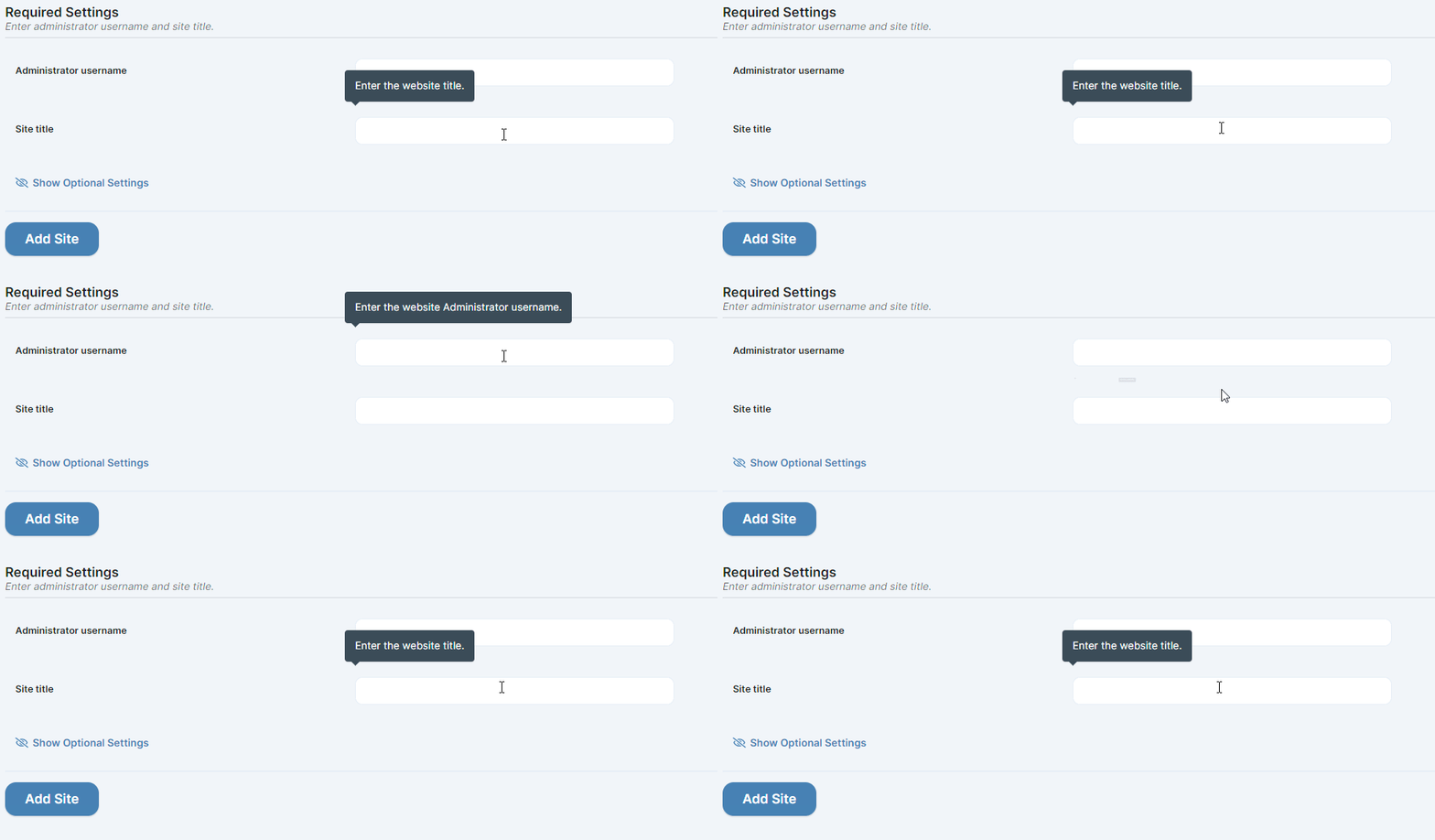
MainWP displays tooltips when you hover over input fields and settings toggles. These explain what each option does. If you find them distracting, you can disable them with CSS.
## What You'll Learn
* What tooltips look like
* How to disable them
## Prerequisites
* [Custom Dashboard extension](/add-ons/development/mainwp-custom-dashboard-extension) (free)
***
## About Tooltips
Tooltips are small popups that appear when you hover over certain elements in the Dashboard.
 ***
## Disable Tooltips
Navigate to the [Custom Dashboard extension](/add-ons/development/mainwp-custom-dashboard-extension) settings.
Go to the **CSS** tab and add this code:
```css theme={null}
.mainwp-ui [data-tooltip]:before,
.mainwp-ui [data-tooltip]:after {
display: none !important;
}
```
***
## Disable Tooltips
Navigate to the [Custom Dashboard extension](/add-ons/development/mainwp-custom-dashboard-extension) settings.
Go to the **CSS** tab and add this code:
```css theme={null}
.mainwp-ui [data-tooltip]:before,
.mainwp-ui [data-tooltip]:after {
display: none !important;
}
```
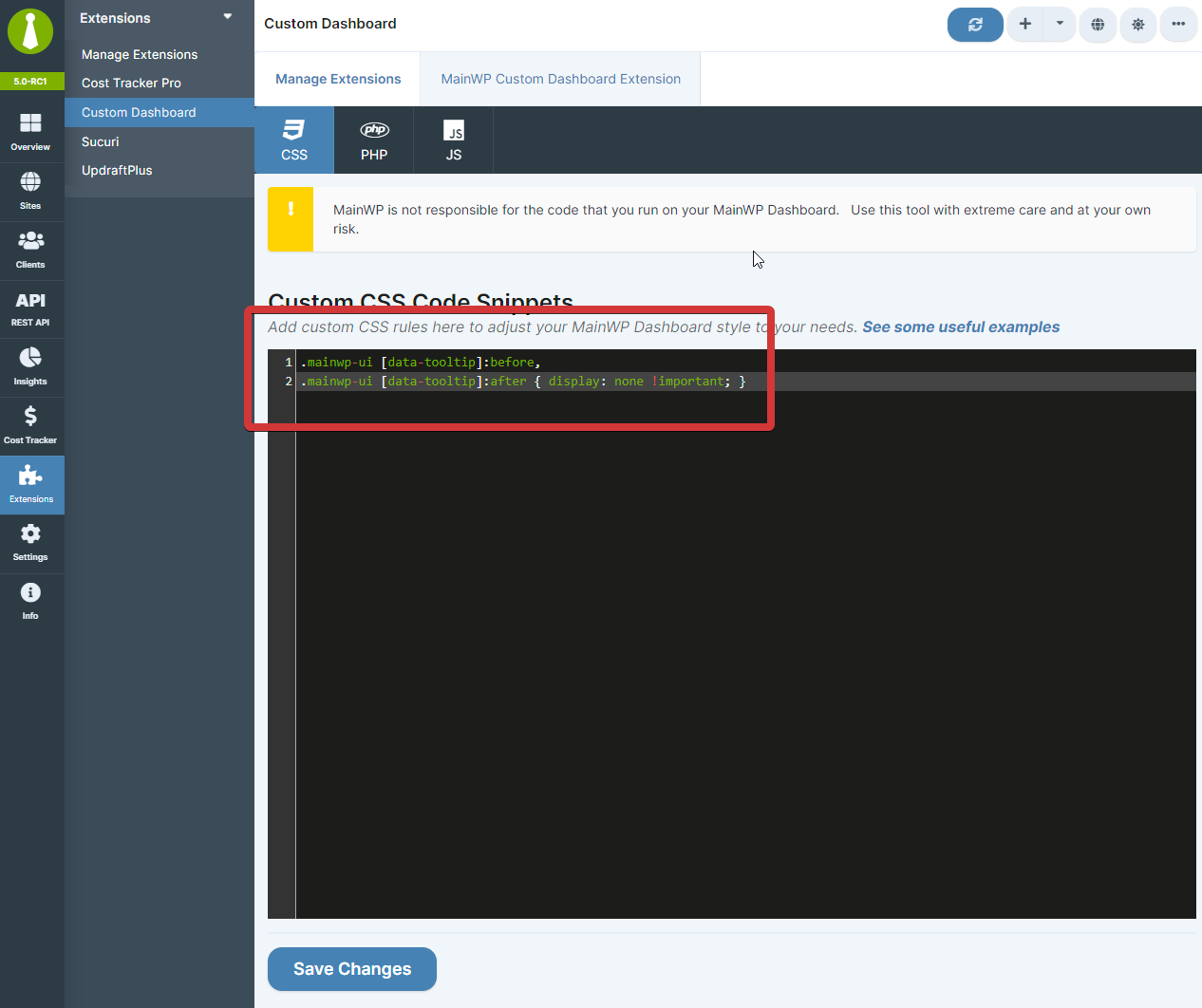 Click **Save Changes**. Tooltips no longer appear on hover.
***
## Restore Tooltips
To show tooltips again:
1. Return to the Custom Dashboard extension
2. Remove the CSS snippet from the **CSS** tab
3. Click **Save Changes**
***
## Self-Check Checklist
* [ ] Custom Dashboard extension installed
* [ ] CSS snippet added to CSS tab
* [ ] Changes saved
* [ ] Tooltips no longer appear on hover
***
## Related Resources
* [Turn Off Guided Tours](/customization/how-to-turn-off-guided-tours) - Disable feature tours
* [Hide New/Beta Labels](/customization/hiding-new-and-beta-labels-on-the-dashboard) - Remove interface labels
* [Custom Dashboard Extension](/add-ons/development/mainwp-custom-dashboard-extension) - Extension documentation
Click **Save Changes**. Tooltips no longer appear on hover.
***
## Restore Tooltips
To show tooltips again:
1. Return to the Custom Dashboard extension
2. Remove the CSS snippet from the **CSS** tab
3. Click **Save Changes**
***
## Self-Check Checklist
* [ ] Custom Dashboard extension installed
* [ ] CSS snippet added to CSS tab
* [ ] Changes saved
* [ ] Tooltips no longer appear on hover
***
## Related Resources
* [Turn Off Guided Tours](/customization/how-to-turn-off-guided-tours) - Disable feature tours
* [Hide New/Beta Labels](/customization/hiding-new-and-beta-labels-on-the-dashboard) - Remove interface labels
* [Custom Dashboard Extension](/add-ons/development/mainwp-custom-dashboard-extension) - Extension documentation