> ## Documentation Index
> Fetch the complete documentation index at: https://docs.mainwp.com/llms.txt
> Use this file to discover all available pages before exploring further.
# Atarim
> The Atarim Extension for MainWP expands your ability to collaborate with your clients through your MainWP Dashboard. Get a complete overview of tasks that have been created inside your websites using Atarim to keep track of all your client requests!
## What You'll Learn
* Connecting Atarim to your MainWP Dashboard
* Connecting MainWP to your Atarim Dashboard
* Viewing Atarim tasks in the Manage Sites and Monitoring tables
* Including Atarim data in Pro Reports
***
**Integration Add-on** - This add-on extends MainWP to work with Atarim. Requires Atarim to be installed on your child sites.
Atarim is a service for collaborating with your clients. Two-way integration offers an insight into website status on Atarim Dashboard and an insight into Atarim tasks on the MainWP Dashboard. Please note that this integration requires a [paid Atarim plan](https://atarim.io/pricing/) (Starter, Expert, or Agency).
## Connect Atarim to MainWP Dashboard
[Install](/dashboard/overview/manage-extensions#install-extensions) Atarim [Extension](https://mainwp.com/extension/atarim/)
Enable MainWP Integration and copy the API Key 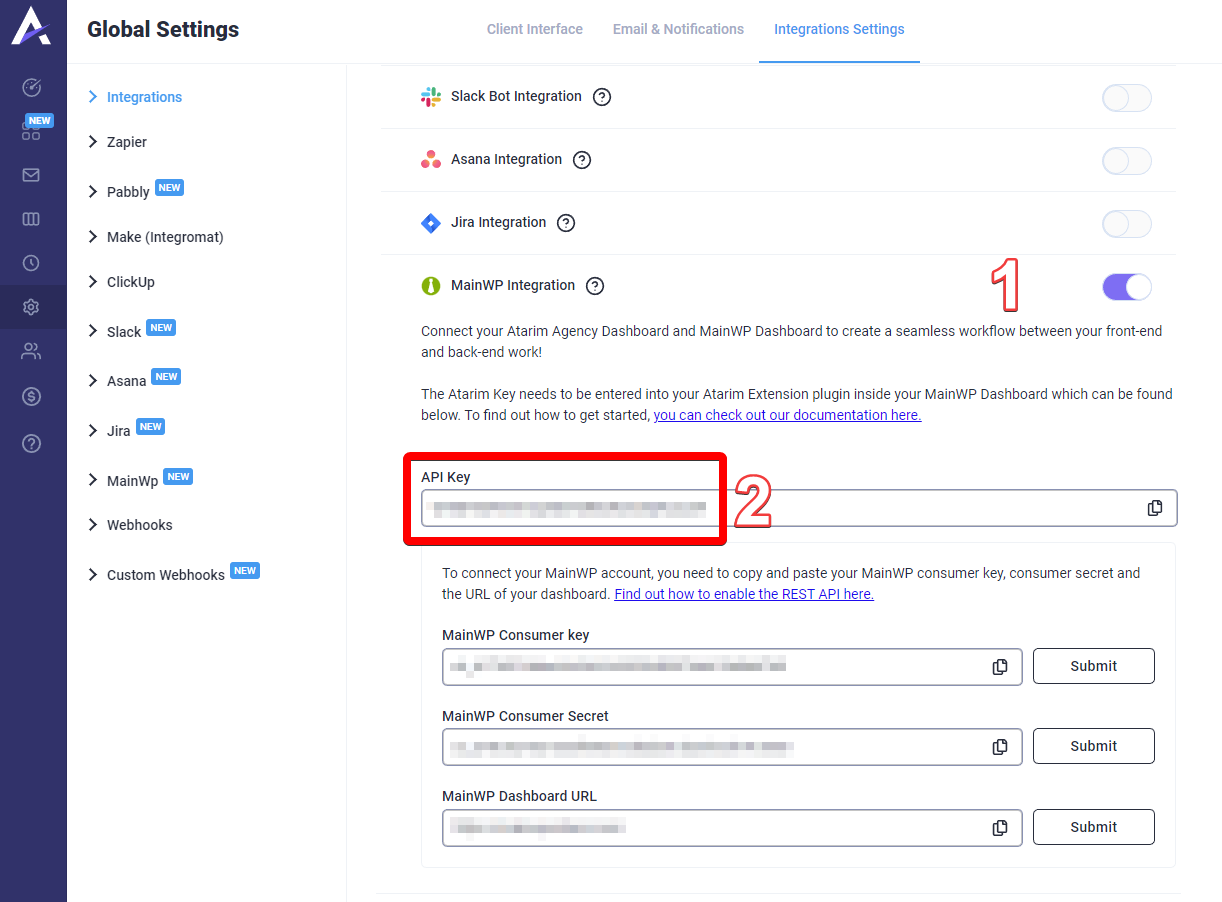 Click the Save Settings button
 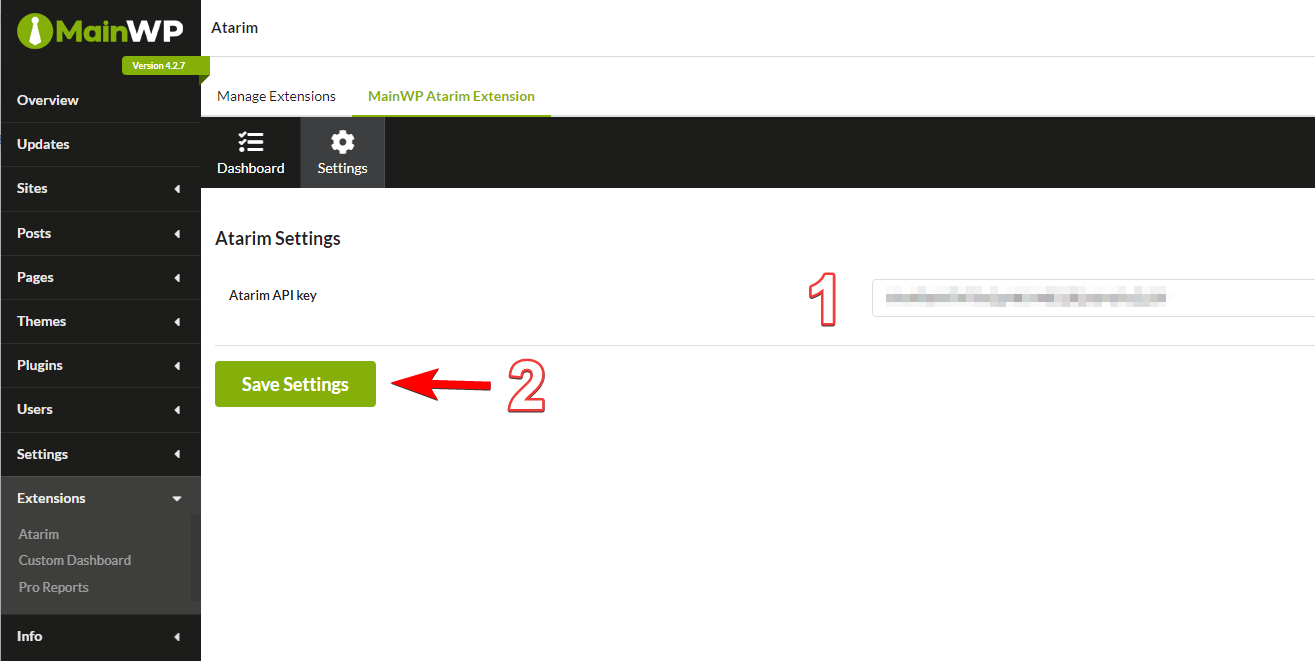 After connecting with Atarim, MainWP will gain the following features:
* **Manage Sites and Monitoring tables**
* A new column will be visible showing the number of Atarim tasks for child sites. Clicking the icon will reveal additional information about those tasks.
After connecting with Atarim, MainWP will gain the following features:
* **Manage Sites and Monitoring tables**
* A new column will be visible showing the number of Atarim tasks for child sites. Clicking the icon will reveal additional information about those tasks. 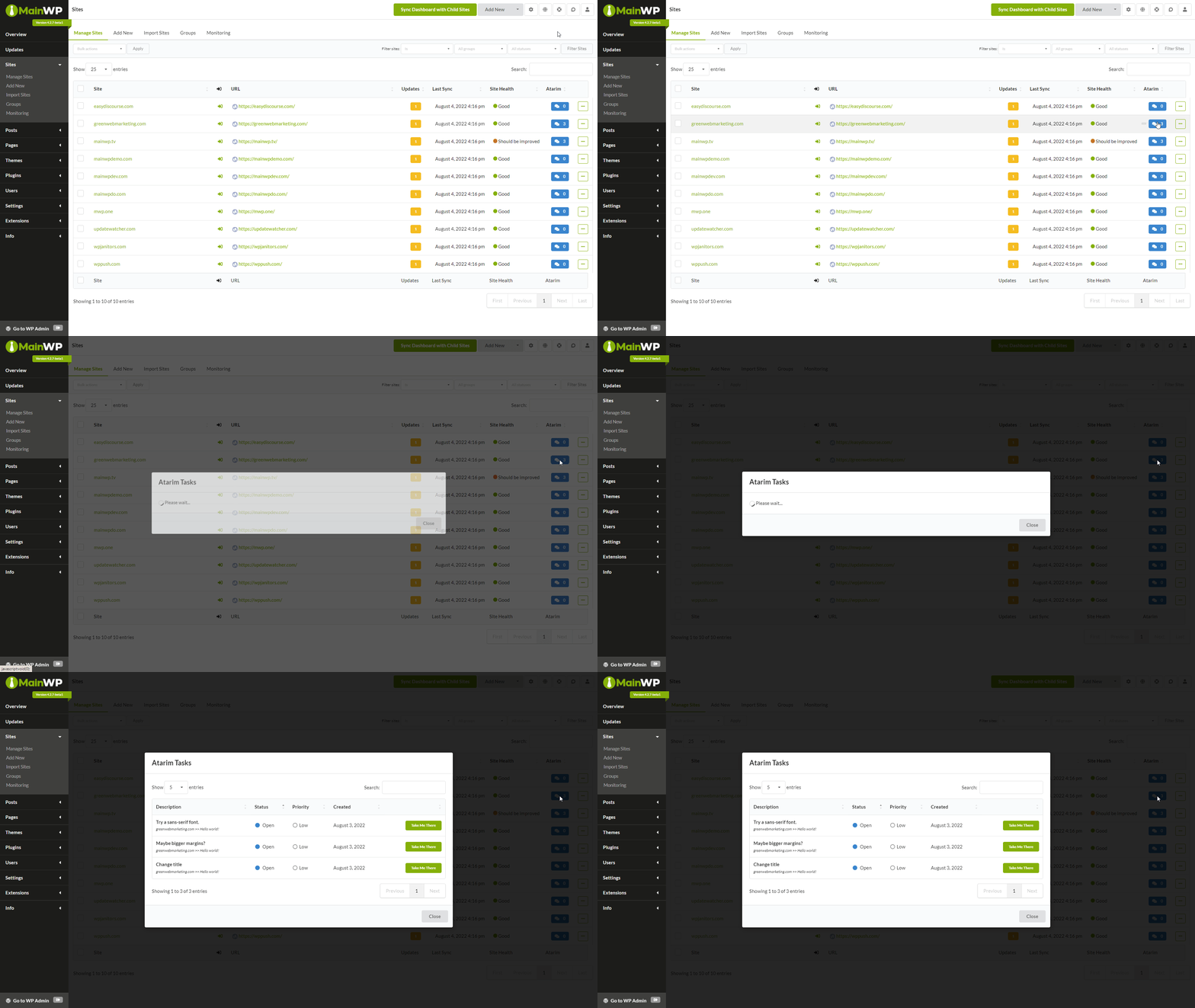 * **Overview widgets**
* On the Overview and Individual Child site overview, a new widget will display information about Atarim tasks
* **Overview widgets**
* On the Overview and Individual Child site overview, a new widget will display information about Atarim tasks 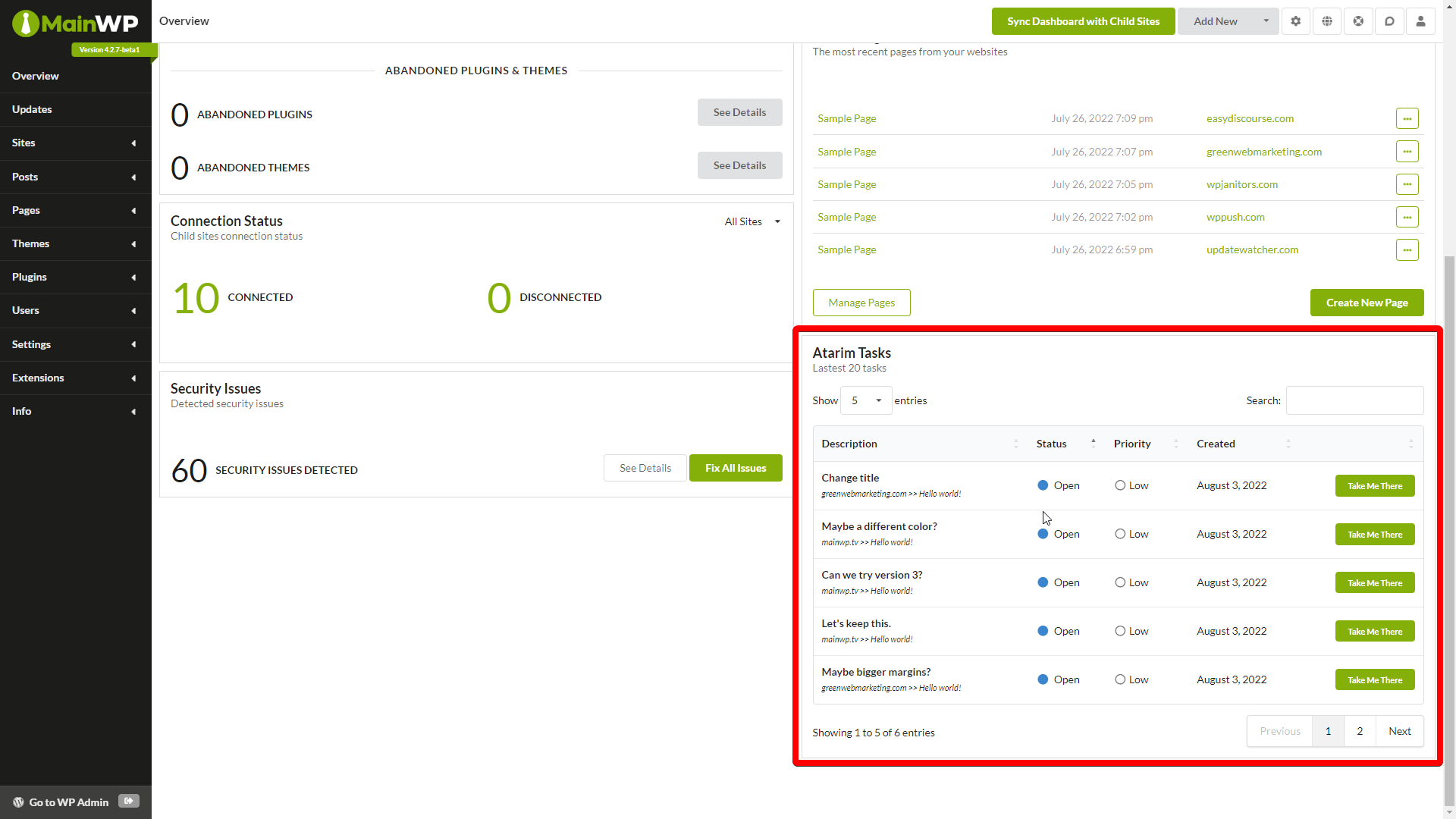 * **Pro Reports data note**: Pro Reports Extension version 4.0.11 or newer is required for Atarim data.
* Atarim Data can be included in the Report from the **Report Data** section
* **Pro Reports data note**: Pro Reports Extension version 4.0.11 or newer is required for Atarim data.
* Atarim Data can be included in the Report from the **Report Data** section 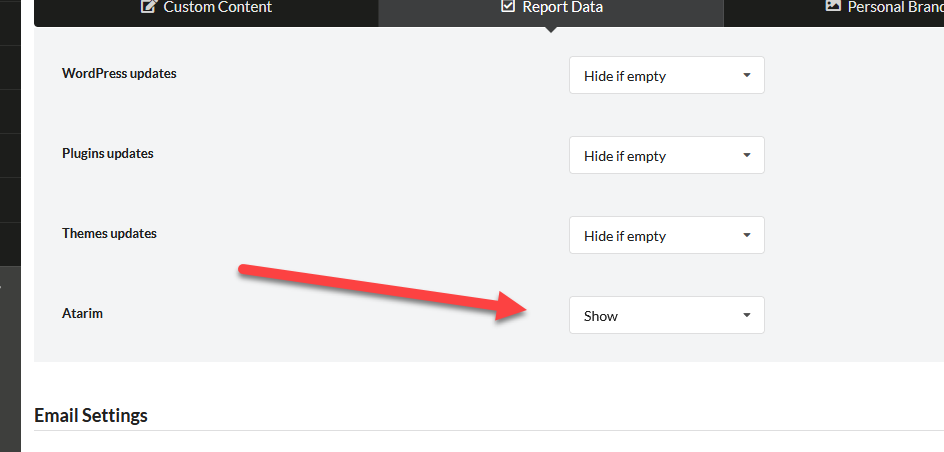 * Atarim data can also be included by using two tokens: `[atarim.all.tasks]` displays all tasks for a site within the selected date range, and `[atarim.billable.tasks]` displays all billable tasks for a site within the selected date range.
## Connect MainWP to Atarim Dashboard
Choose any settings except for **Plain** (this is a WordPress REST API limitation)
* Atarim data can also be included by using two tokens: `[atarim.all.tasks]` displays all tasks for a site within the selected date range, and `[atarim.billable.tasks]` displays all billable tasks for a site within the selected date range.
## Connect MainWP to Atarim Dashboard
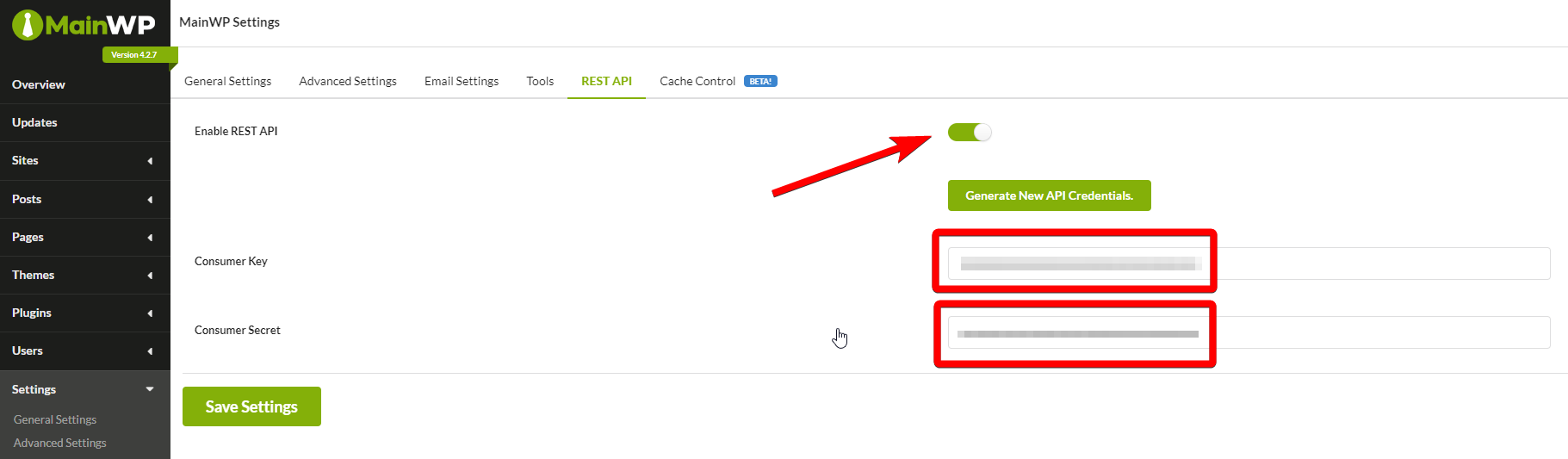
Choose any settings except for **Plain** (this is a WordPress REST API limitation) 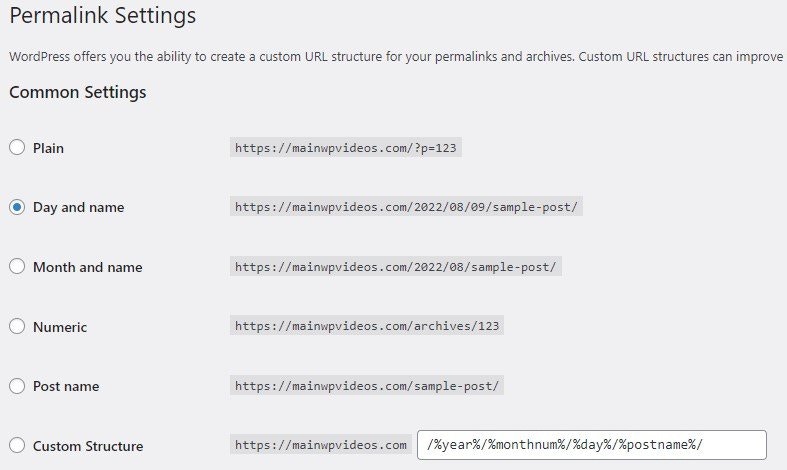 Click **Show Legacy API Credentials**, then copy Consumer Key and Consumer Secret.
  Paste the Consumer Key and Consumer Secret, and the URL of your MainWP Dashboard
 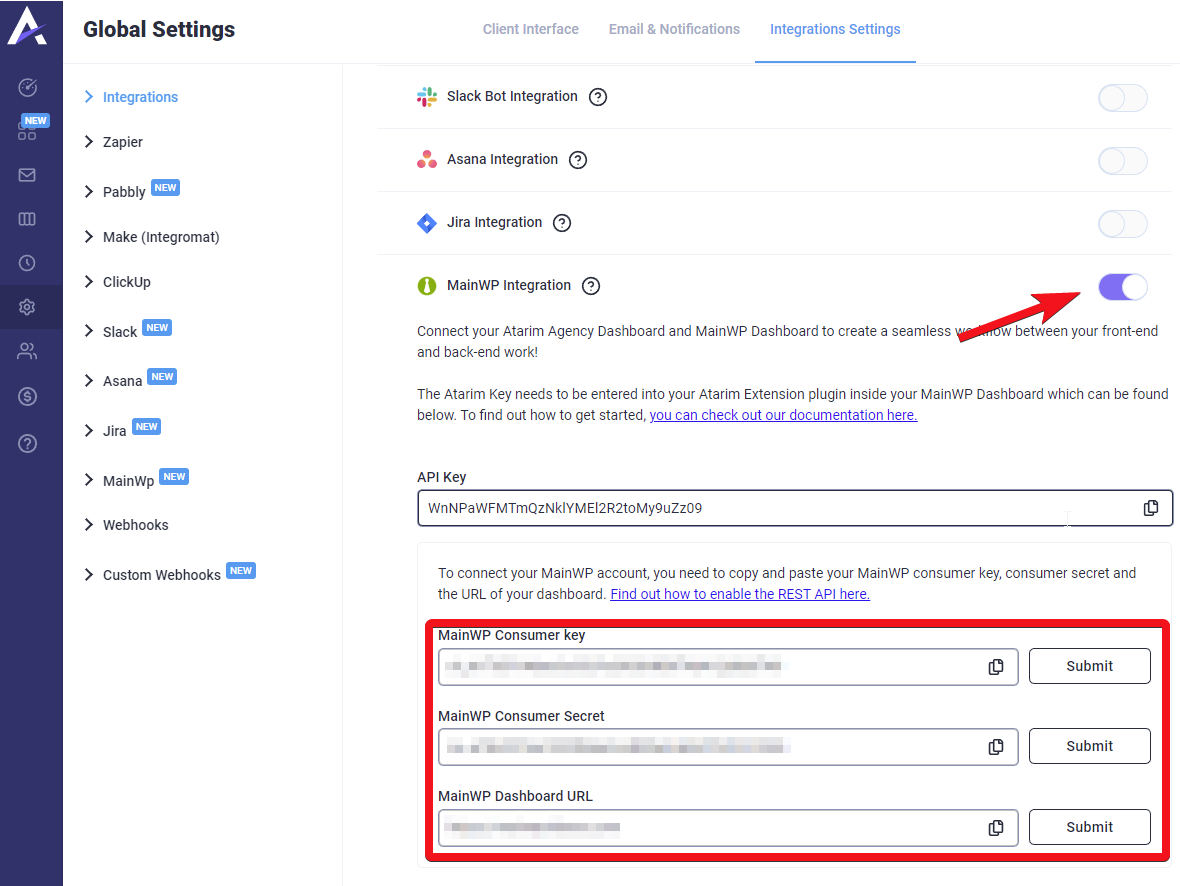 After connecting with MainWP, Atarim will display the **number of available updates, a number of security issues,** and the **uptime status** of the sites.
  ***Learn more about the [Atarim extension](https://mainwp.com/extension/atarim/)!***
## How to disable Atarim on the Manage Sites table
### How to hide the Atarim column
De-select Atarim in the **Show Columns** section
***Learn more about the [Atarim extension](https://mainwp.com/extension/atarim/)!***
## How to disable Atarim on the Manage Sites table
### How to hide the Atarim column
De-select Atarim in the **Show Columns** section 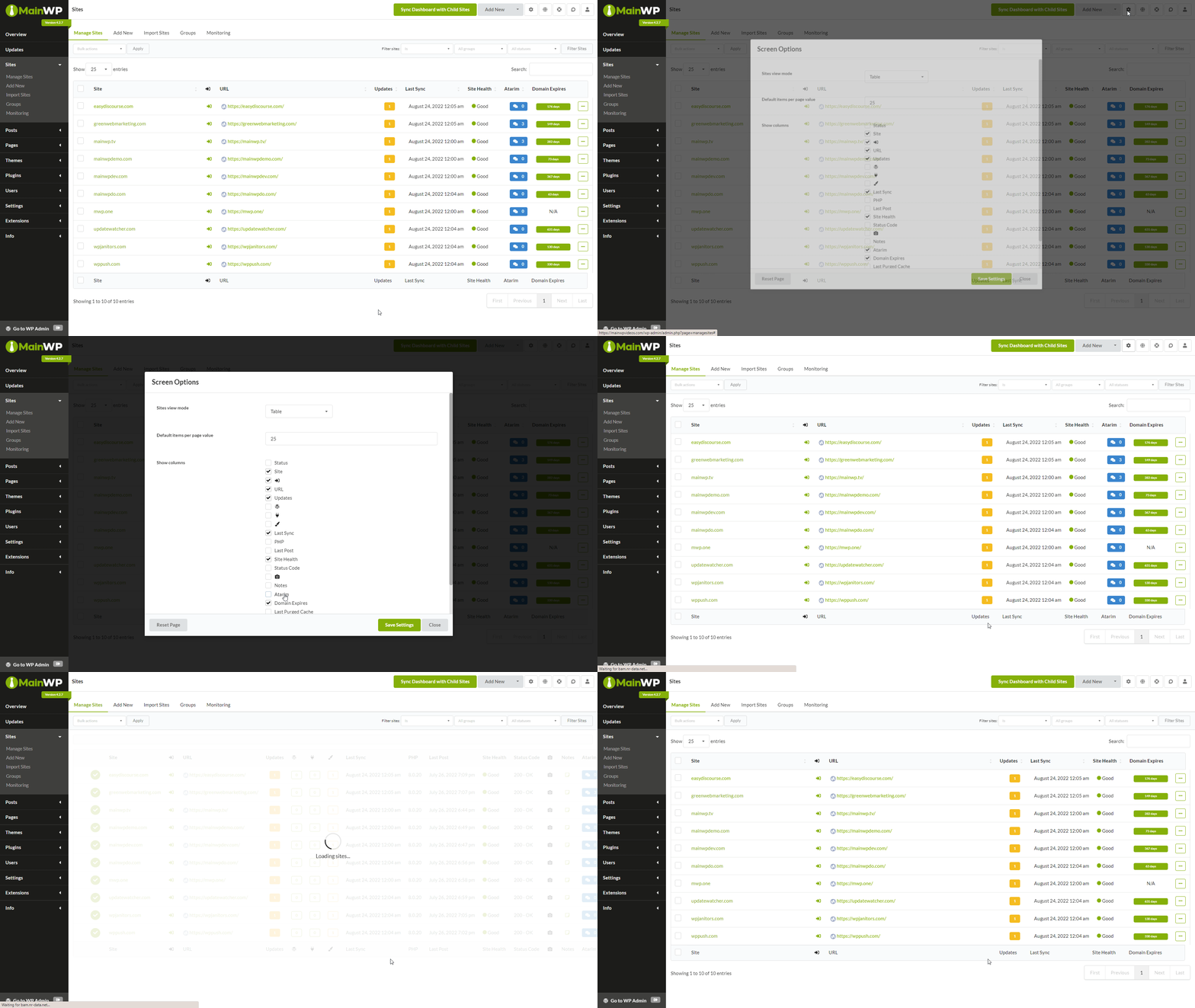 ### How to unset the Atarim column
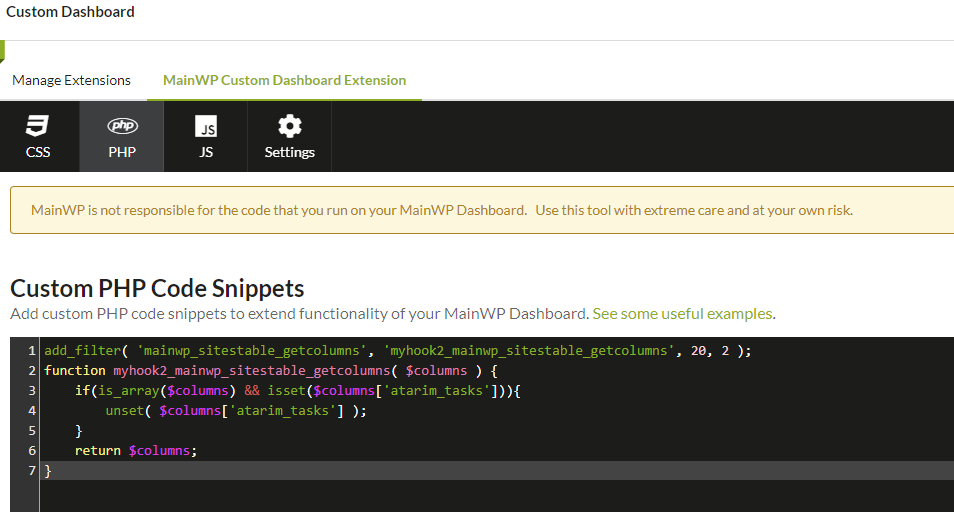
Insert the following snippet using our [Custom Dashboard](https://mainwp.com/extension/mainwp-custom-dashboard-extension/) extension, or by inserting it in the `functions.php` file of the active theme of your MainWP Dashboard:
```php theme={null}
add_filter( 'mainwp_sitestable_getcolumns', 'myhook2_mainwp_sitestable_getcolumns', 20, 2 );
function myhook2_mainwp_sitestable_getcolumns( $columns ) {
if ( is_array( $columns ) && isset( $columns['atarim_tasks'] ) ) {
unset( $columns['atarim_tasks'] );
}
return $columns;
}
```
### How to unset the Atarim column
Insert the following snippet using our [Custom Dashboard](https://mainwp.com/extension/mainwp-custom-dashboard-extension/) extension, or by inserting it in the `functions.php` file of the active theme of your MainWP Dashboard:
```php theme={null}
add_filter( 'mainwp_sitestable_getcolumns', 'myhook2_mainwp_sitestable_getcolumns', 20, 2 );
function myhook2_mainwp_sitestable_getcolumns( $columns ) {
if ( is_array( $columns ) && isset( $columns['atarim_tasks'] ) ) {
unset( $columns['atarim_tasks'] );
}
return $columns;
}
```
 ***
## Related Resources
* [Administrative Add-ons](/add-ons/administrative) - Browse all administrative tools
* [Pro Reports Extension](/add-ons/agency/pro-reports-extension-overview) - Include Atarim data in reports
* [Custom Dashboard Extension](/add-ons/development/mainwp-custom-dashboard-extension) - Add custom code snippets
***
## Related Resources
* [Administrative Add-ons](/add-ons/administrative) - Browse all administrative tools
* [Pro Reports Extension](/add-ons/agency/pro-reports-extension-overview) - Include Atarim data in reports
* [Custom Dashboard Extension](/add-ons/development/mainwp-custom-dashboard-extension) - Add custom code snippets