> ## Documentation Index
> Fetch the complete documentation index at: https://docs.mainwp.com/llms.txt
> Use this file to discover all available pages before exploring further.
# Cost Tracker Assistant
> The Cost Tracker Assistant provides email reminders for subscription expiration and automation features for tracking costs when installing plugins or themes via ZIP upload.
## What You'll Learn
* Setting up subscription expiration notifications
* Automating cost tracking during plugin/theme uploads
* Configuring notification thresholds and recipients
***
**Extension Add-on** - This add-on extends the built-in Cost Tracker feature in MainWP Dashboard. No third-party plugins required.
This extension works alongside the built-in [Cost Tracker](/clients/cost-tracker) feature in MainWP Dashboard.
Cost Tracker Assistant adds convenience features to the core Cost Tracker feature: email reminders for expiring subscriptions and streamlined cost entry when uploading plugins or themes.
## Notifications
The notification system sends email reminders before active recurring subscriptions expire, giving you time to renew or find alternatives.
### Setting Up Notifications
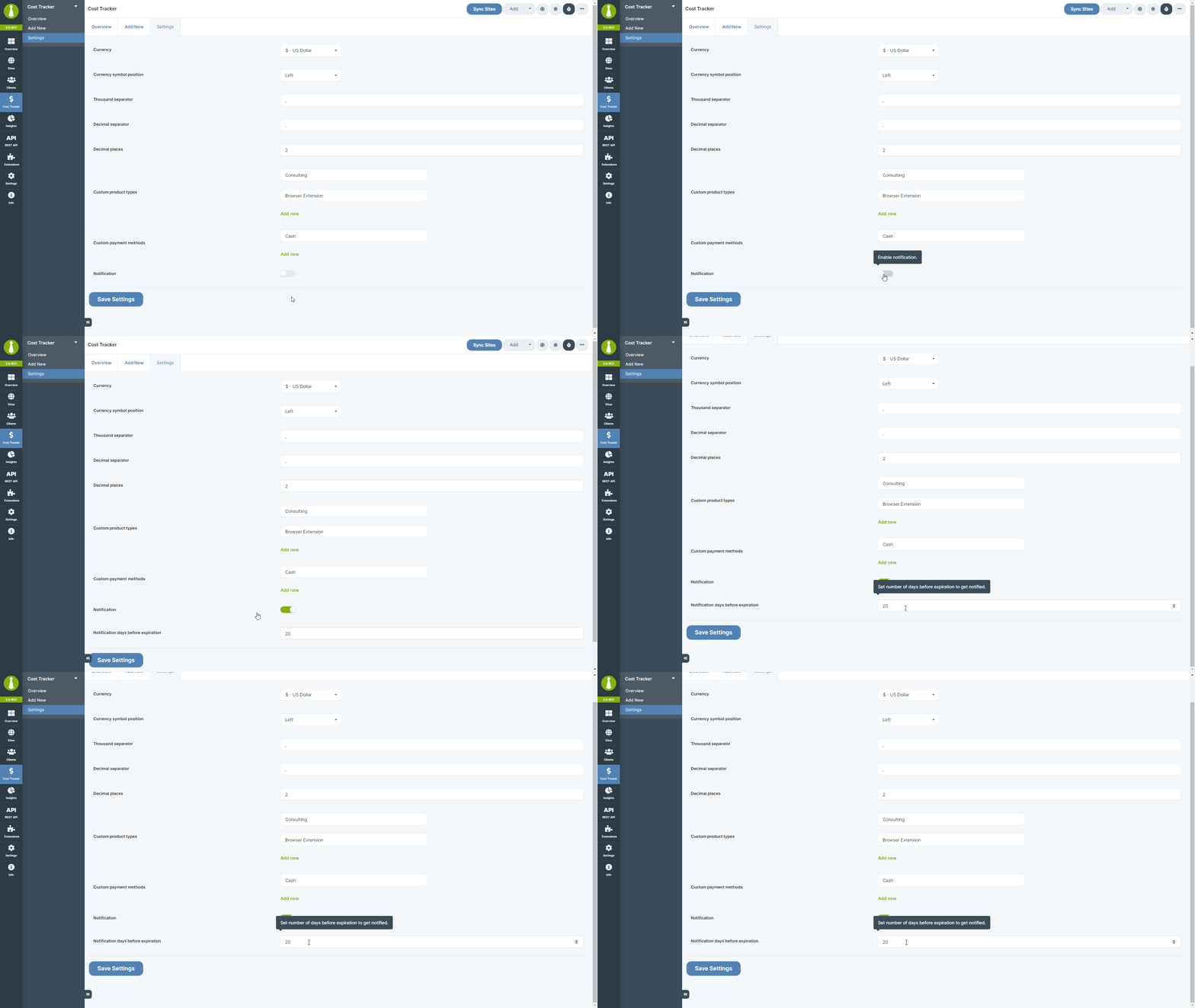
1. Navigate to **Settings > Cost Tracker Settings**
2. Enable **Email notifications**
3. Set the **Expiration notification threshold**
4. Optional: open **Settings > Email Settings** and review **Cost Tracker Assistant Notification** to adjust recipients, subject, or the email template
 ### What Gets Tracked
Notifications can send for cost entries that are:
* Active recurring subscriptions
* Within the configured expiration notification threshold
* Not already expired
Alerts are sent by email. The extension does not add a separate Dashboard notification.
## Automation
When installing plugins or themes via ZIP upload, Cost Tracker Assistant streamlines the process of recording the purchase.
### How It Works
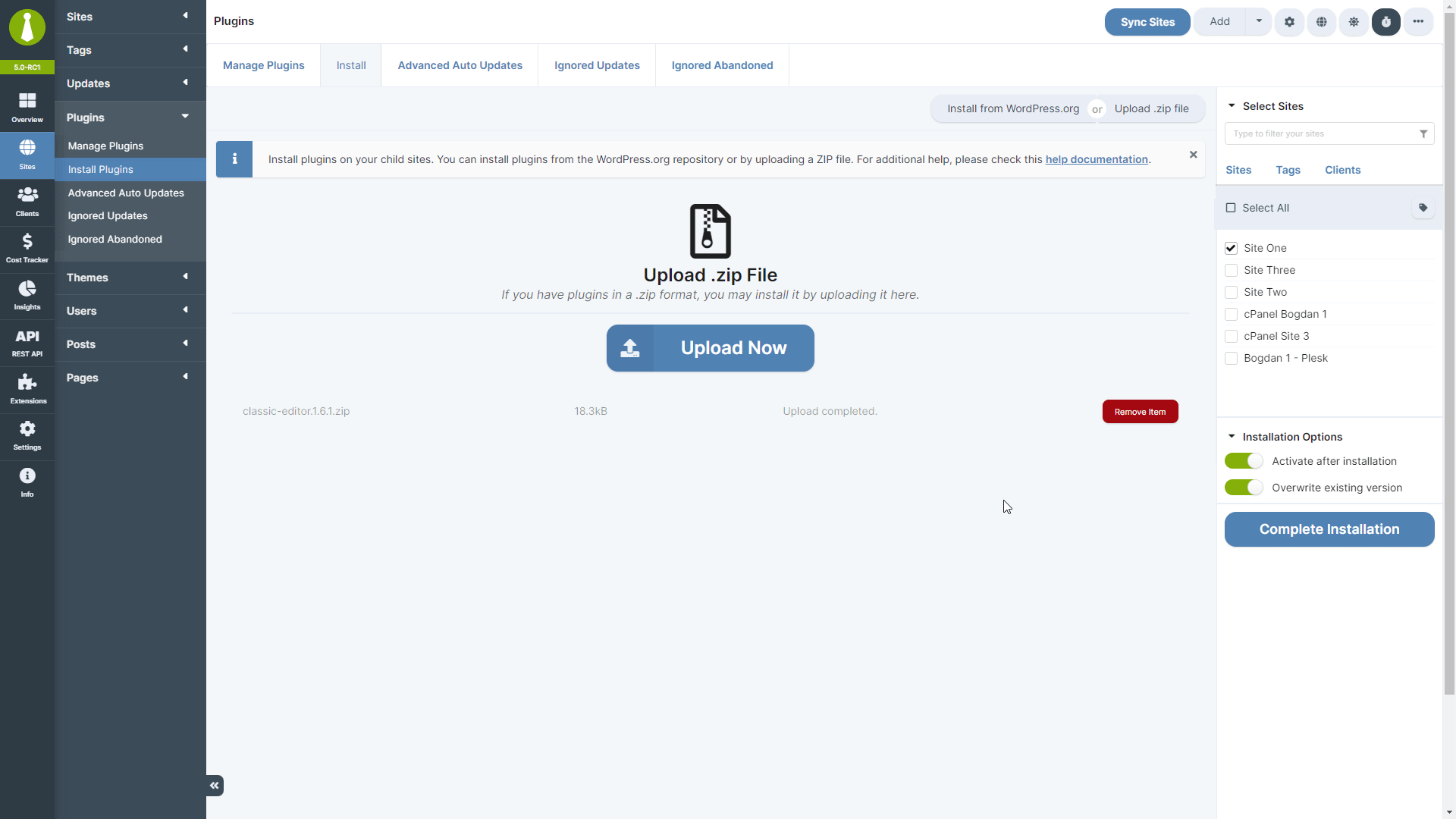
1. Upload a plugin or theme ZIP file through **Sites > Manage Plugins > Install Plugins** or **Sites > Manage Themes > Install Themes**
2. Complete the installation
3. In the install modal actions, click **Add to Cost Tracker**
4. Complete the cost-tracking fields, including the item name, product URL, type, product type, license type, price, purchase date, and site, tag, or client selection
5. For recurring items, set the renewal frequency and subscription status, then click **Save Cost Tracking Item**
### What Gets Tracked
Notifications can send for cost entries that are:
* Active recurring subscriptions
* Within the configured expiration notification threshold
* Not already expired
Alerts are sent by email. The extension does not add a separate Dashboard notification.
## Automation
When installing plugins or themes via ZIP upload, Cost Tracker Assistant streamlines the process of recording the purchase.
### How It Works
1. Upload a plugin or theme ZIP file through **Sites > Manage Plugins > Install Plugins** or **Sites > Manage Themes > Install Themes**
2. Complete the installation
3. In the install modal actions, click **Add to Cost Tracker**
4. Complete the cost-tracking fields, including the item name, product URL, type, product type, license type, price, purchase date, and site, tag, or client selection
5. For recurring items, set the renewal frequency and subscription status, then click **Save Cost Tracking Item**
 This eliminates the need to navigate to Cost Tracker separately after each purchase.
## Requirements
* MainWP Dashboard with the Cost Tracker feature enabled
* Cost Tracker Assistant extension activated and enabled
***
## Related Resources
* [Cost Tracker](/clients/cost-tracker) - Core cost tracking features including summary and bulk management
* [Time Tracker](/add-ons/client/mainwp-time-tracker-extension) - Track time spent on client sites
* [Client Add-ons](/add-ons/client) - Browse client management add-ons
This eliminates the need to navigate to Cost Tracker separately after each purchase.
## Requirements
* MainWP Dashboard with the Cost Tracker feature enabled
* Cost Tracker Assistant extension activated and enabled
***
## Related Resources
* [Cost Tracker](/clients/cost-tracker) - Core cost tracking features including summary and bulk management
* [Time Tracker](/add-ons/client/mainwp-time-tracker-extension) - Track time spent on client sites
* [Client Add-ons](/add-ons/client) - Browse client management add-ons